
A quiz post is a clever way to attract new subscribers. The idea is simple: you ask an interesting question with a picture, and only people who subscribe to the channel can see the correct answer.
When a new user taps an answer button, they see: "Want to know the correct answer? Subscribe to the channel!" That way curiosity motivates people to subscribe.
Quizzes are often used in ads as clickbait. You place a quiz in someone else's channel, but the answer options are links to the same post in your channel. The person follows the link, sees the same question, taps an answer button, and gets an invitation to subscribe.
First, create the base of the post
1. Tap Create post or send the /newpost command.
2. Send the bot the text with the question. For a stronger effect, add a picture.
Add the answer options
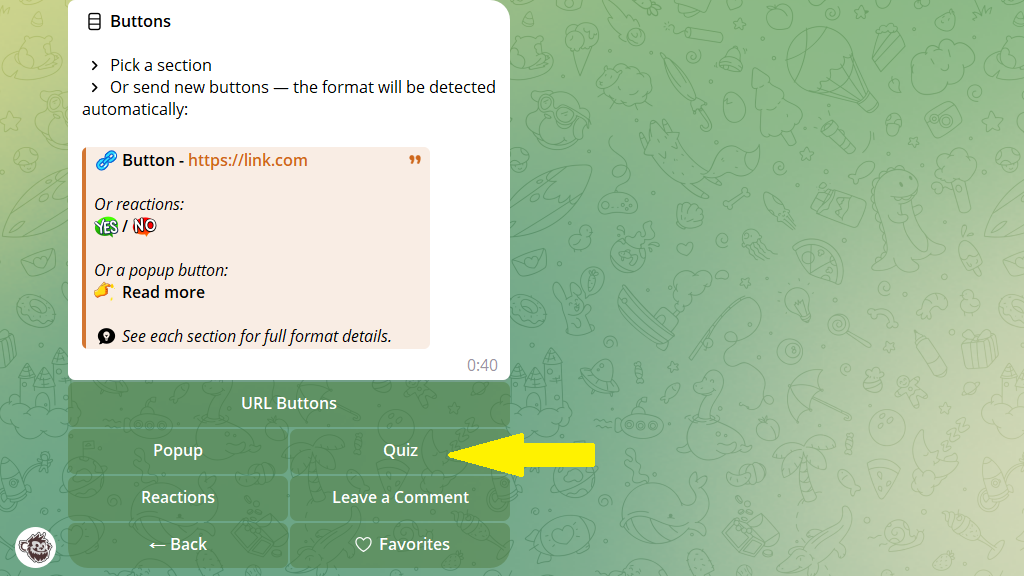
3. In the post editor, tap Buttons.
4. Turn on quiz mode.
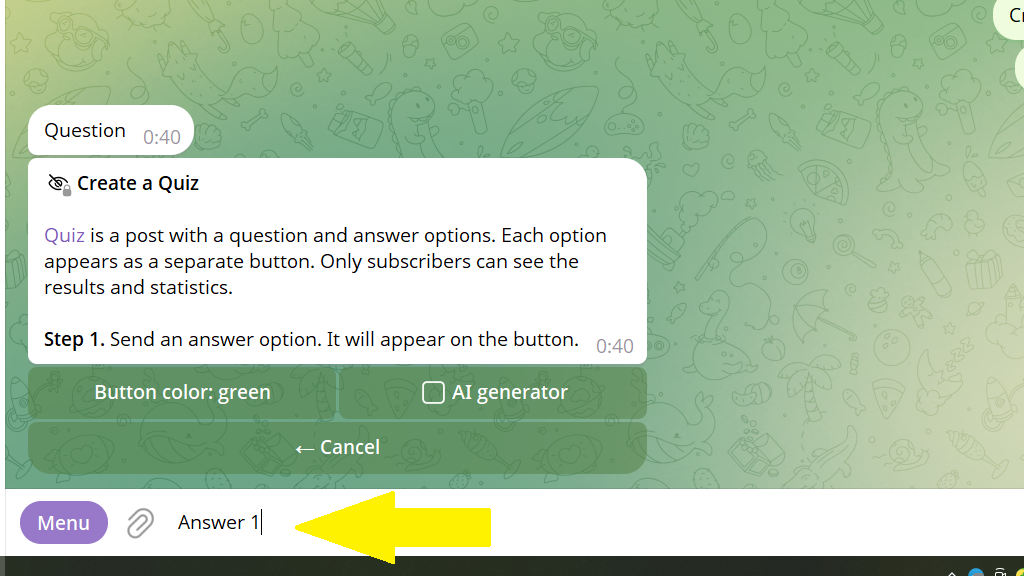
5. Send the bot the text of the first answer option. It will appear on the button, so keep it short.
6. Send an explanation of whether this is the correct answer or not. Only subscribers will see it.
You can choose who sees the correct answer — subscribers, or boosters who voted for the channel. It's an easy way to collect votes and unlock extra features for the channel.
7. Send the text inviting people to subscribe to the channel to find out the result. You can skip this step and use the standard message.
That's it. The first option is added. Now add the rest the same way.
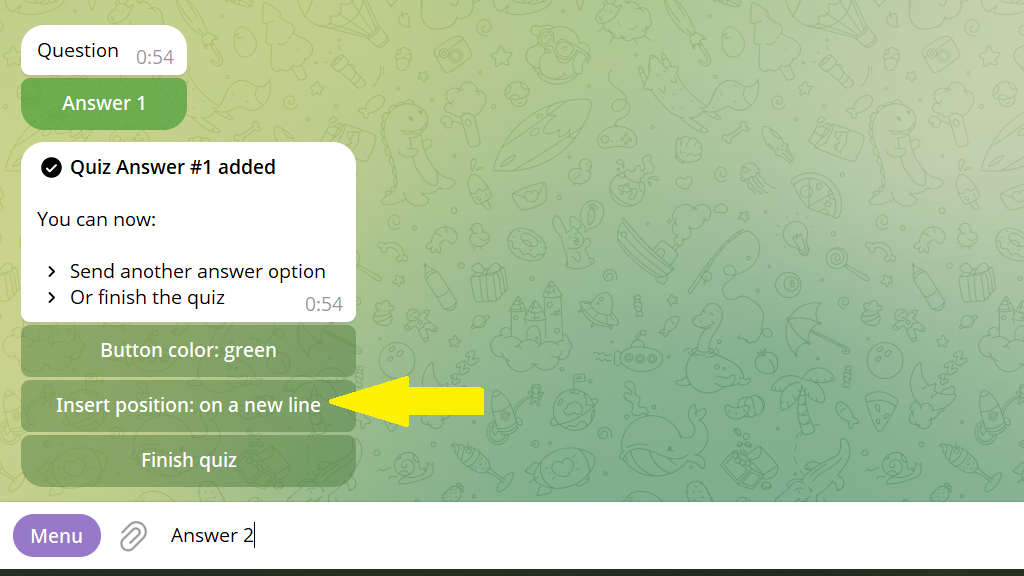
8. You can choose where the second button goes — below the first or to the right of it.
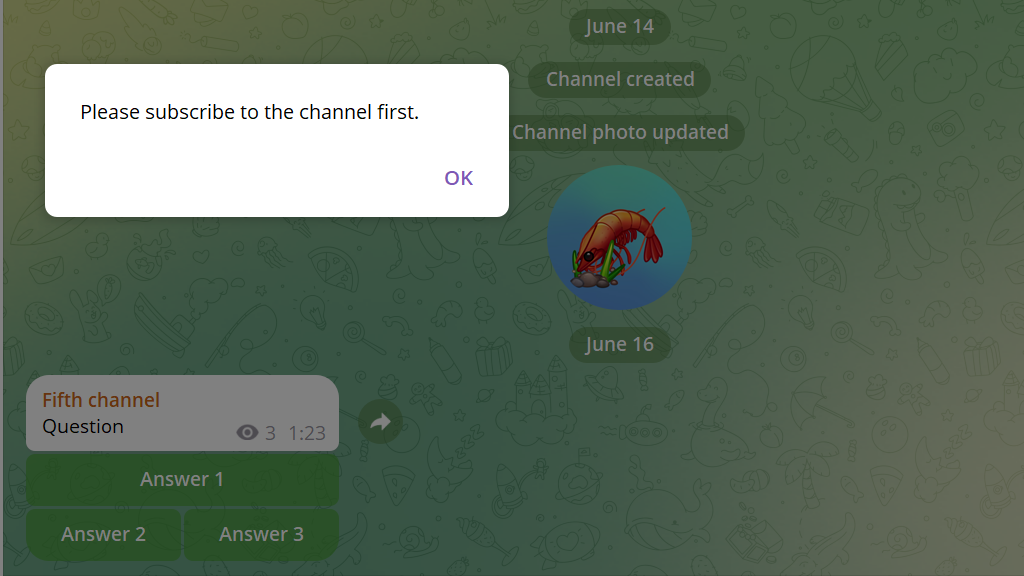
When a subscriber taps any of the buttons under a quiz post, they see whether they answered correctly. If a person isn't subscribed, they see an invitation to subscribe to the channel.
Answer statistics
Once at least two answer options are created, the bot offers to add a button showing how other users answered. To do this:
- In the
Buttonssection, tapAnswer statistics.
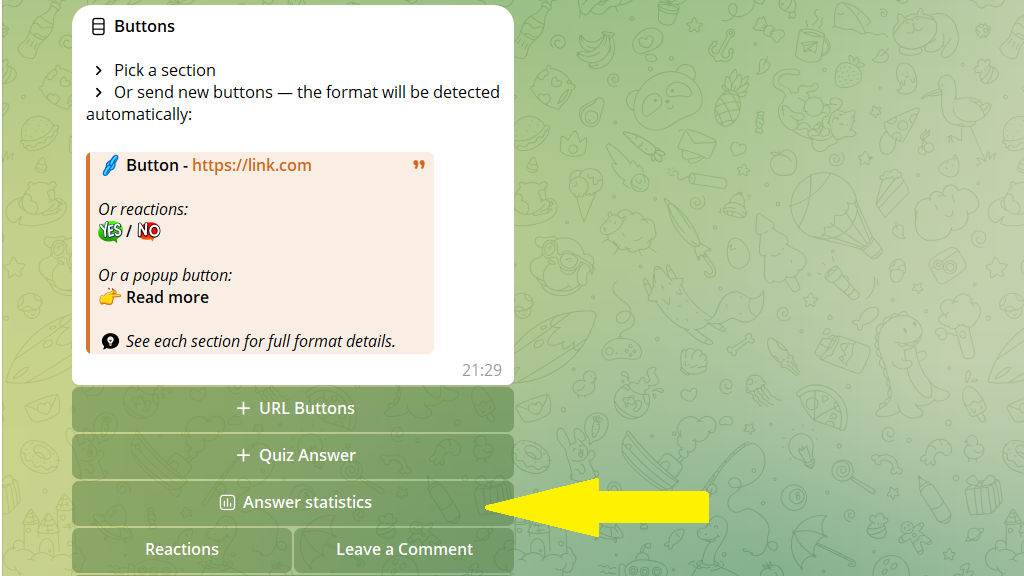
2. Send the button name. For example: "See the answers".
3. Send the text that will appear before the statistics, for example "Here's how others answered:".
That's it. The statistics button is created. The bot automatically added the subscribe invitation text that was used in the previous button.
AI quiz generator
Posto offers to create a quiz with the help of artificial intelligence. To do this, tap Quiz → AI generator.
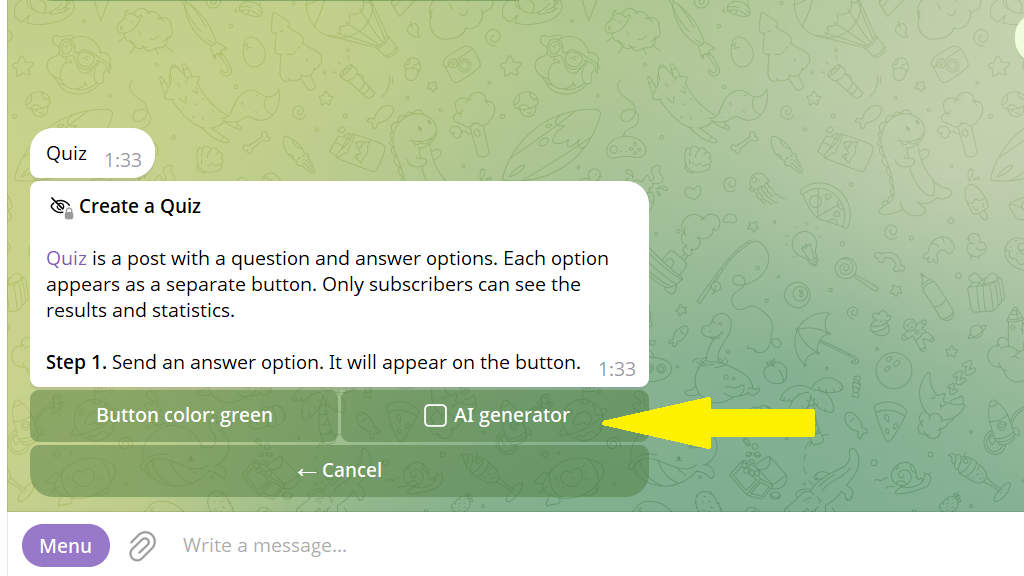
Then, in free form, say how many answer options you need. For example, the post has the question: "What do you think the brightest star in the sky is called?" We send the bot the prompt: "Come up with five answer options, where the first two are wrong, the third is correct, and the fourth and fifth are wrong. Add short explanations. Also add an answer-statistics button."
The bot came up with the options and offers to choose the button layout.
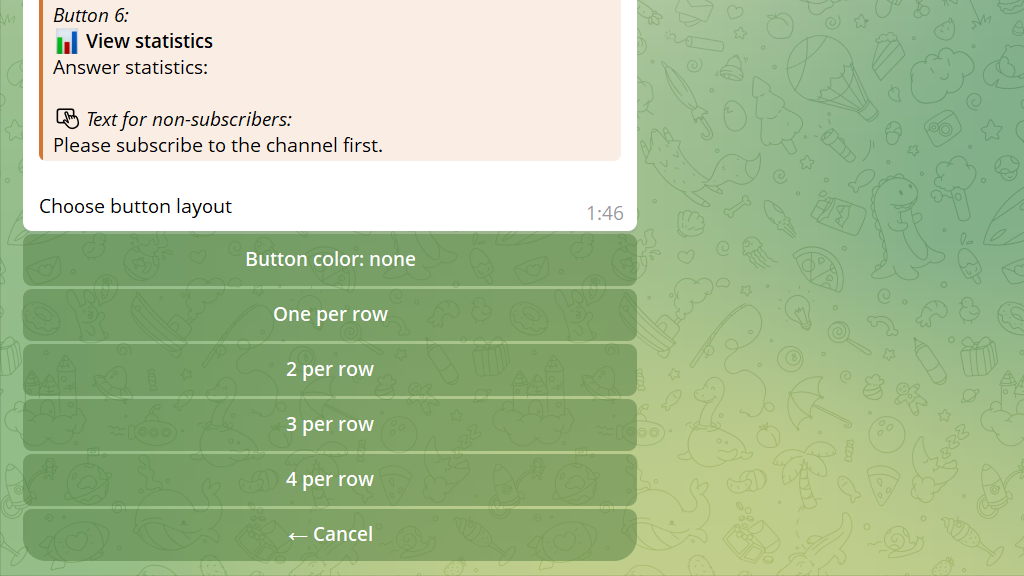
Let's say we want the answer buttons to go one per row. Then in the finished post they'll look like this:
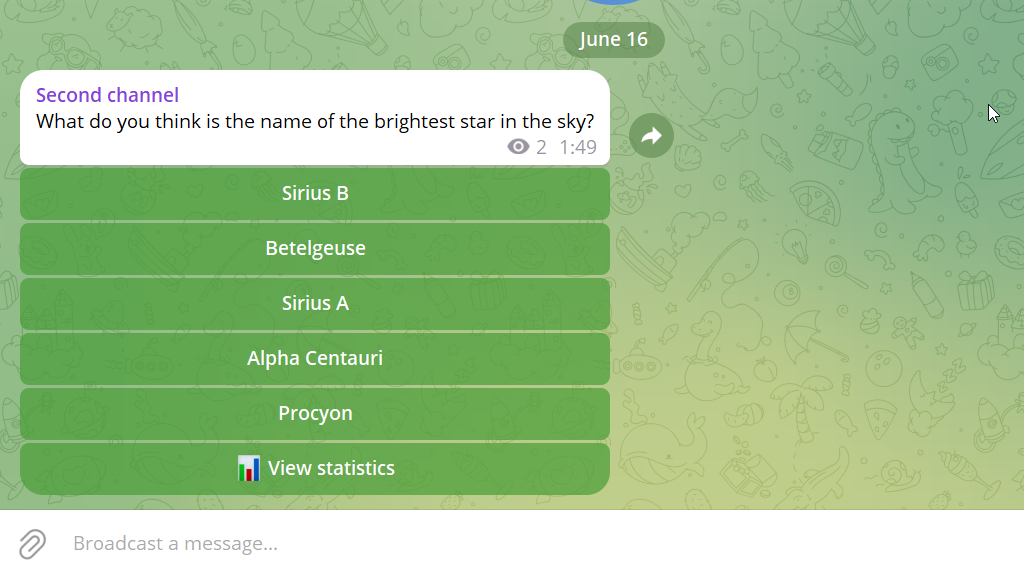
When a subscriber taps an option, they see the answer with the explanation the AI came up with. If a person isn't subscribed, they see an invitation to subscribe to the channel.
