
Topics are separate threads inside a Telegram group that help you organize discussion by different themes.
First, create topics in the group
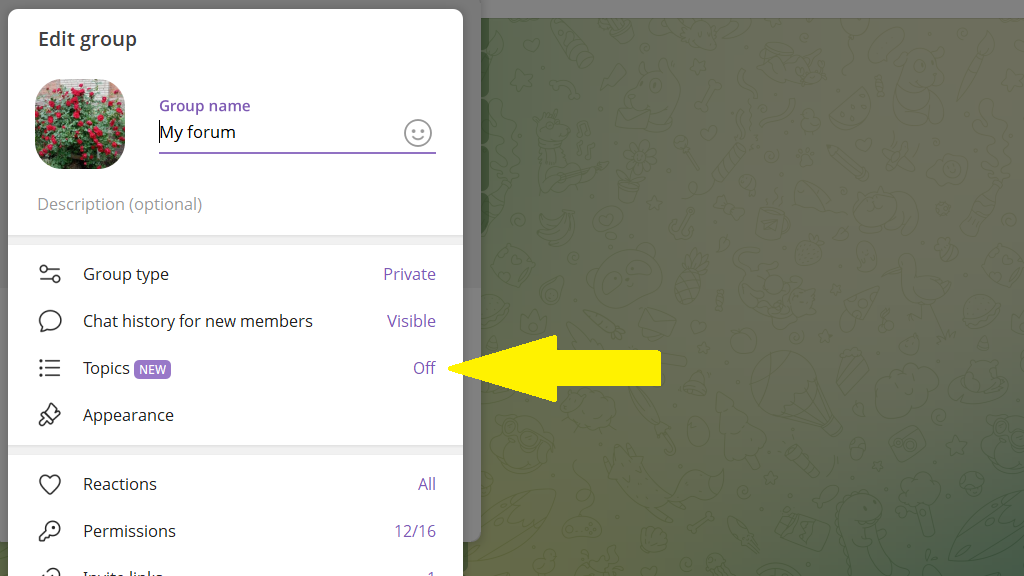
If the option to create topics isn't enabled yet, open the group settings and turn on the Topics toggle. Then create a list of topics for discussion.
Connect the topics to the bot
Go to the topic you want to add to the bot and send the /addtopic command there.
In reply, you'll see a message with a ✅ emoji. That means the topic is connected to the bot.
Important: if you see ❌, turn off admin anonymity in your group settings and try again.
After connecting the first topic, go to the other topics and repeat the process.
After that, the topics appear in the bot's general list of connected channels and groups. Posting to topics is no different from posting to channels. You can:
- create default settings for each topic
- copy a single post to several topics with different formatting
- set an individual schedule for each topic
- edit posts across all topics in a single tap
