
When you have several channels in a network, it's important to publish content at different times. This makes the channels feel more natural and unique.
Step-by-step setup
- Tap
Create postor send the/newpostcommand. - Choose the main channel and send the bot your content.
- Tap
Multi-postingand choose the additional channels. - Tap
More→Edit for other channels. The post's options for publishing in the second channel open. - Tap
Set a different timeand set the time you need. Then switch to the third and other channels in the bottom menu bar to set their times.
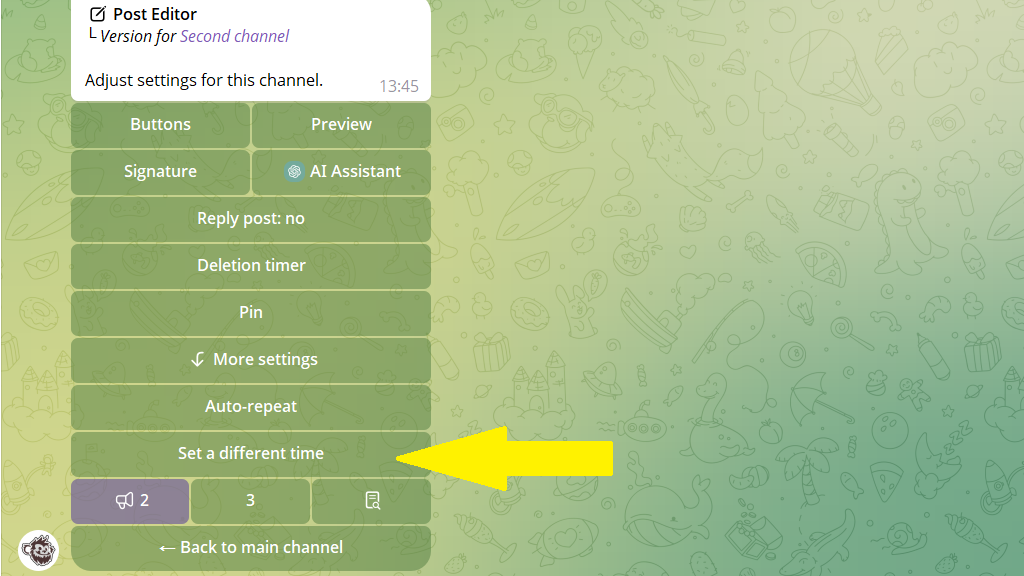
If you don't set a time for one of the channels, the post goes out there at the same time as in the main channel.
6. Tap Back to main channel → Postpone and schedule the post.
That's it! The post goes out in all the channels at different times.
Example
Main channel (12:00): "Store onions in pantyhose — that way they won't rot for 6 months 🧅".
Second channel (15:30): "Life hack: stick onions in old pantyhose and hang them in the pantry. They'll keep for half a year and won't spoil".
Third channel (18:00): "Why did grandmothers keep onions in stockings? Because that way they don't rot! Try it — the result will surprise you".
Subscribers of each channel see the post at a different time and with a different angle.
Combined with automatic rewriting and the random-order publishing feature, you can fill several channels just as easily as one.
