
Ad posts call for a special approach to planning. They should go out at the optimal time, not interrupt your main content, and stay balanced with useful posts. In Posto, you can create and change the schedule for ad posts separately from the schedule for regular posts. To do this:
- Tap
Settingsin the bottom menu or send the/settingscommand. - Choose the channel where you'll place ads.
- Tap
Scheduleand set the times for ads to go out:
For daily ads: just send the time (for example, 15:00).
For ads on specific days: tap By days of the week → choose a day → send the time.
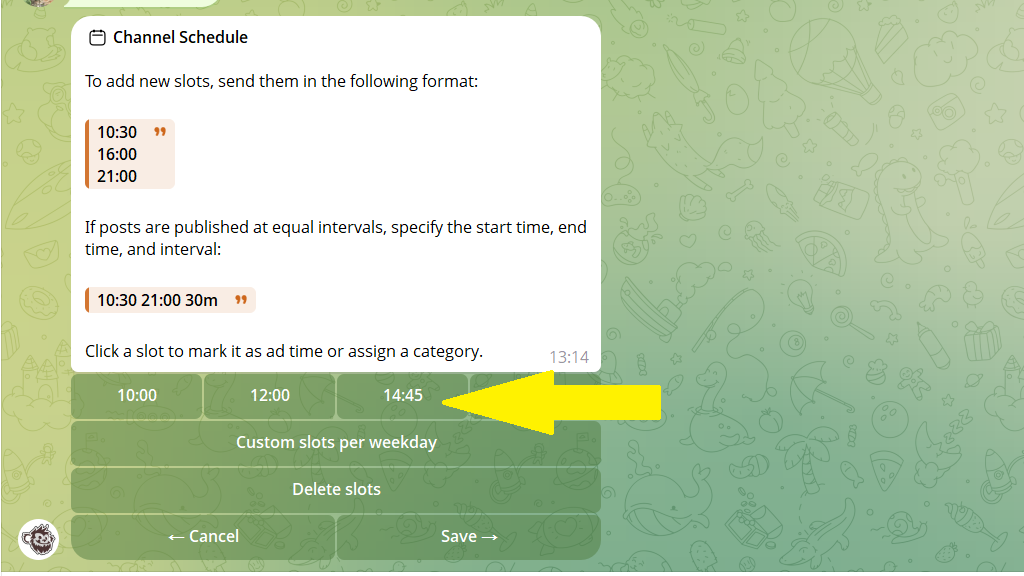
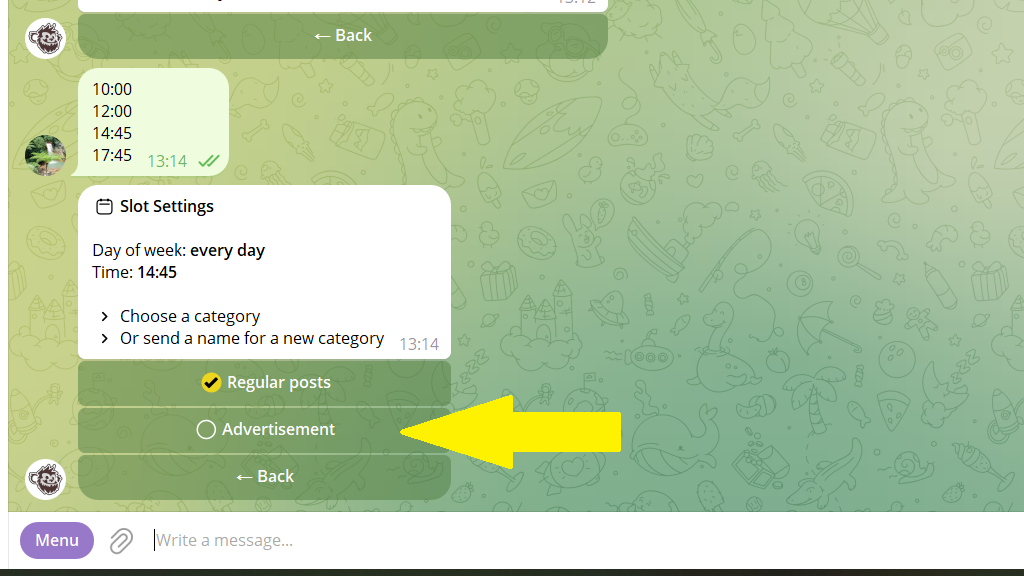
First, the channel's general schedule is created. Tap each slot you've created and choose the Ad option to move it into the ad schedule.
How to change an existing schedule
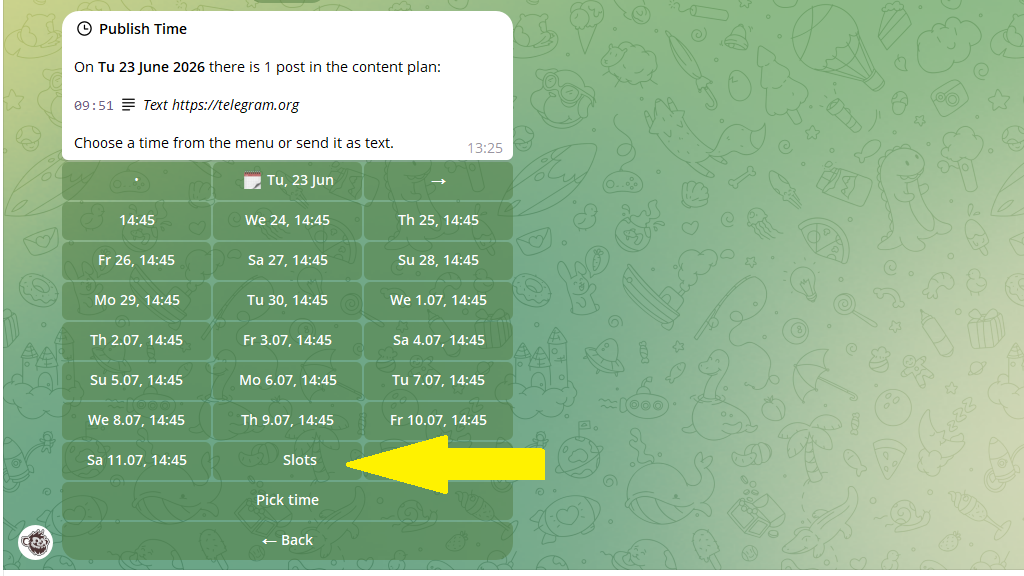
You can change the current schedule right while creating an ad post. After tapping Postpone → Slots, the bot offers options:
- Add new slots — expand the current schedule.
- Transfer slots — copy times from other schedules.
- Delete slots — remove time windows you no longer need.
An overview of the channel's schedule
To see the channel's full schedule — ad slots, regular posts, and categories:
- Open
Settings. - Choose the channel you need.
- Tap
Schedule.
Here all the slots are shown, and you can see when ad posts and categories go out.
