
When your posts are formatted in a single style, it's handy to save the settings and apply them to every post automatically.
To do this, schedule or publish a post with the settings you want. After that, you'll see a Save formatting and settings button. Tap it.
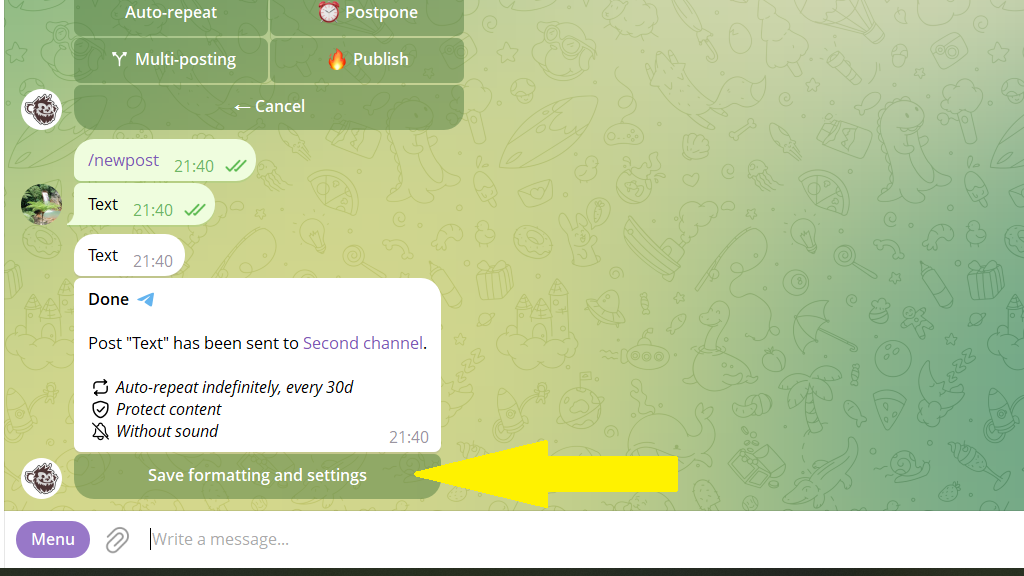
Now all your following posts will have the same defaults:
- buttons, signature, watermark, and other formatting
- pinning, silent mode, and other publishing settings
- channels to copy to
- the auto-repeat interval (regular, for example every two days)
When copying to other channels, the bot remembers the individual settings for each one. So you can easily set up posting where each channel automatically gets its own signature and watermark.
Default settings aren't fixed. The bot fills in the values from the saved post, but you can change any option before publishing: set a different signature, add or remove buttons.
If the standard formatting for the channel has changed, just create a post with the new formatting and tap Save formatting and settings.
You can also set the defaults in advance. To do this:
- Tap
Settingsin the bottom menu or send the/settingscommand. - Choose the channel you need from the list.
- Tap
Posts.
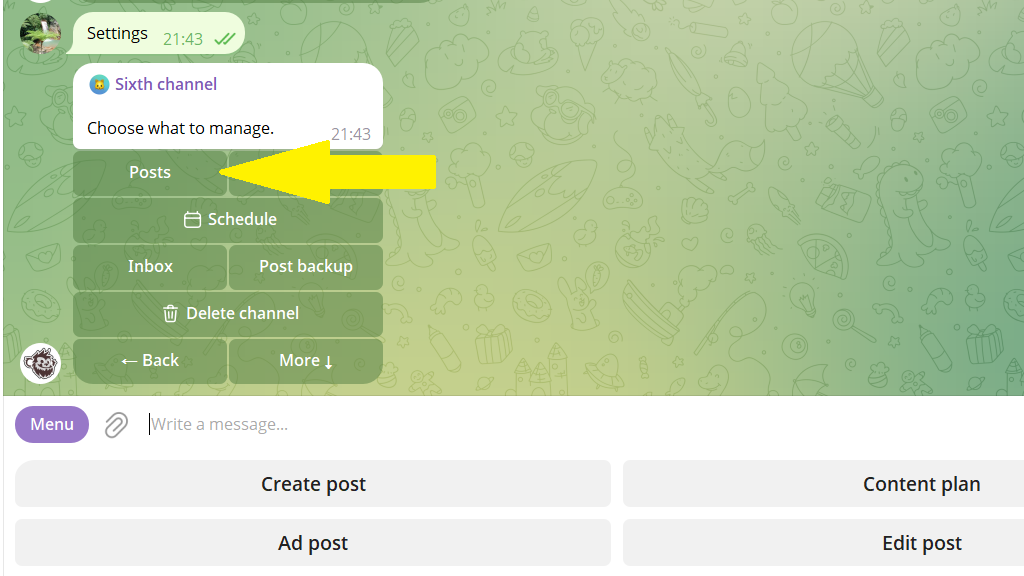
4. Set the formatting that will apply to all future posts.
5. Save your changes.
