
Your channel inbox lets subscribers send you messages that you can publish through Posto. You can apply a template, publish submissions automatically, and send an instant reply to the subscriber.
Step 1. Enable direct messages for your channel
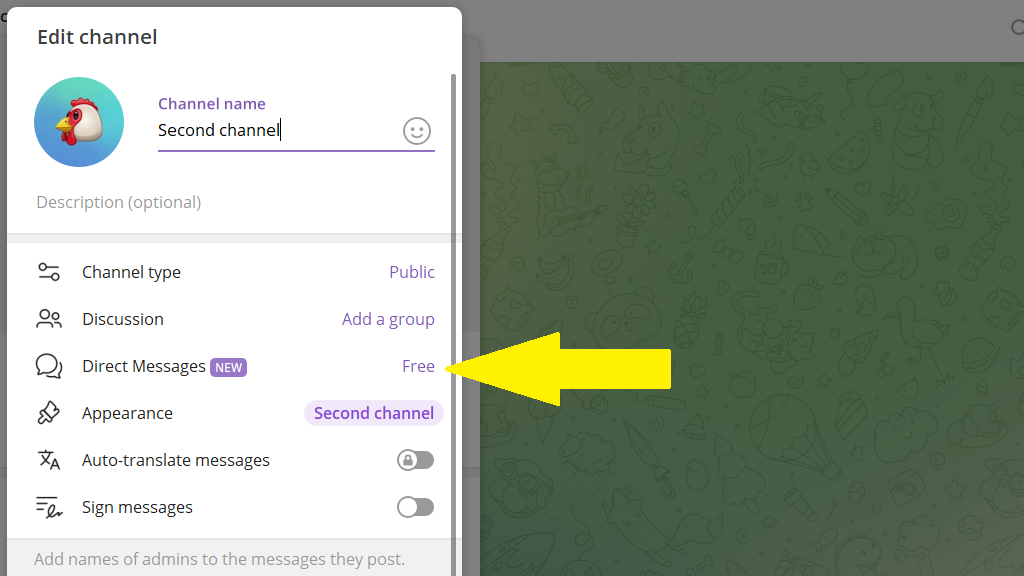
- Open the channel settings and turn on
Direct Messages.
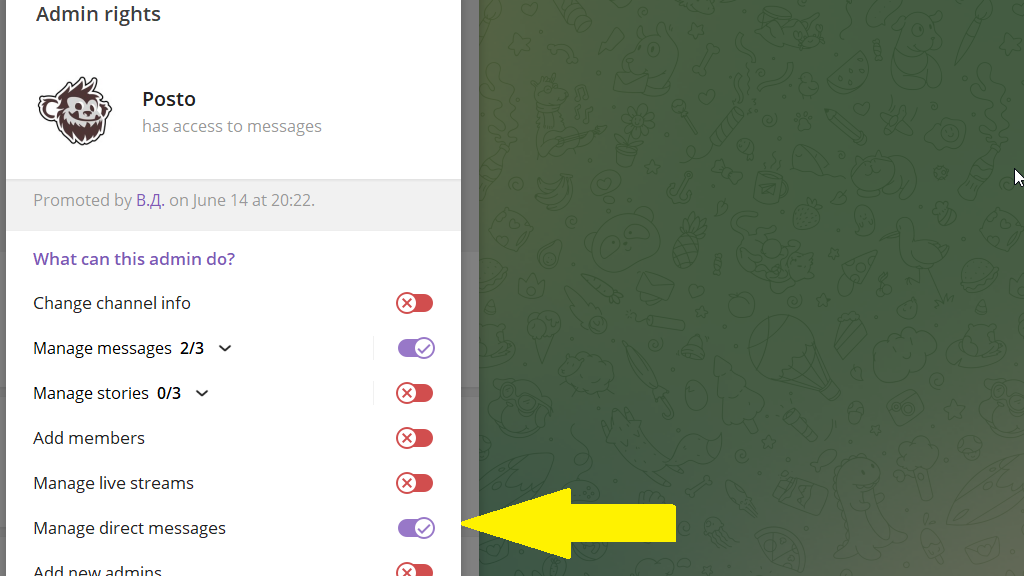
- Make sure
@postois a channel admin with theManage Direct Messagespermission.
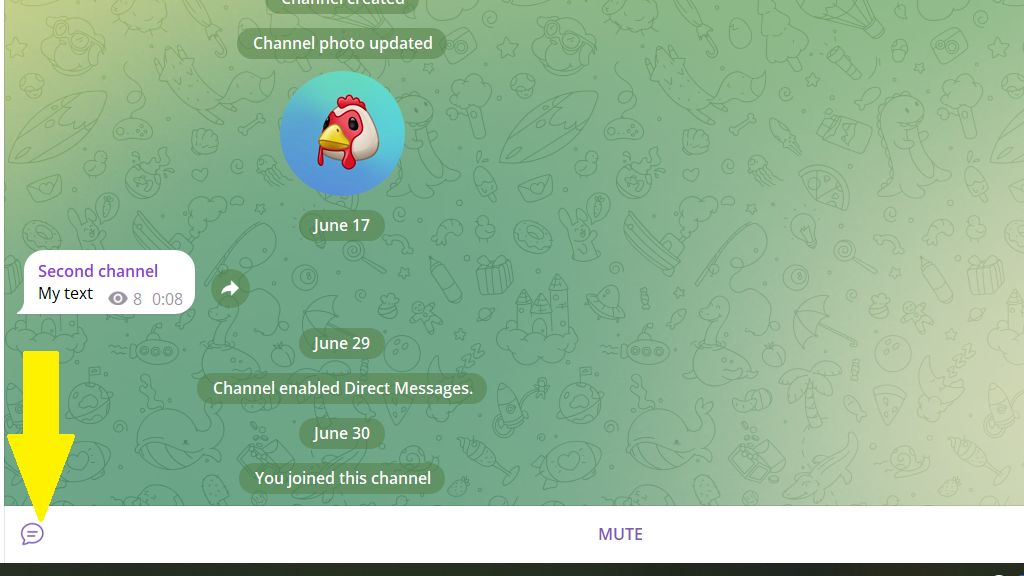
An inbox icon now appears in your channel, and subscribers can message you.
Step 2. Enable the inbox in Posto
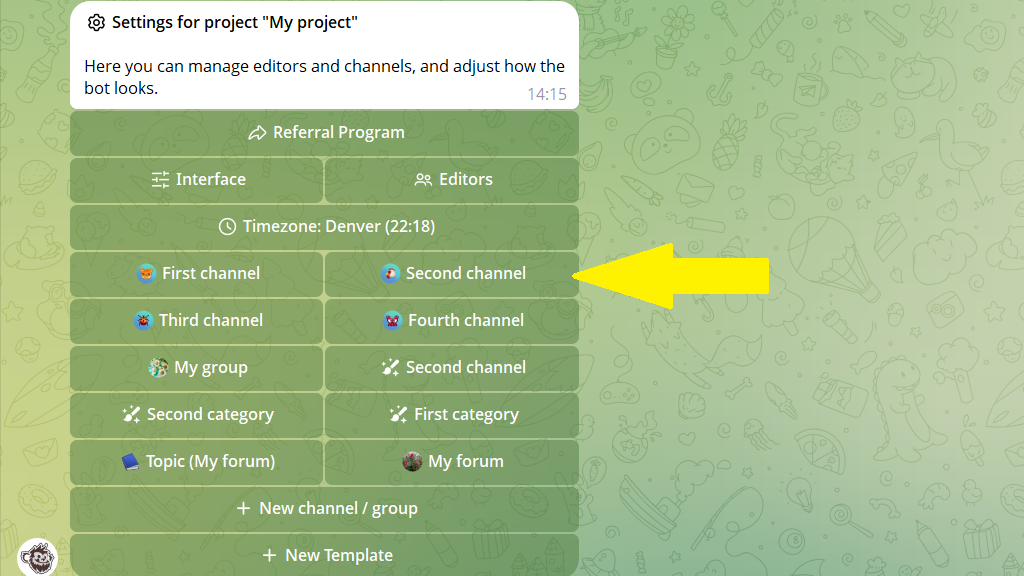
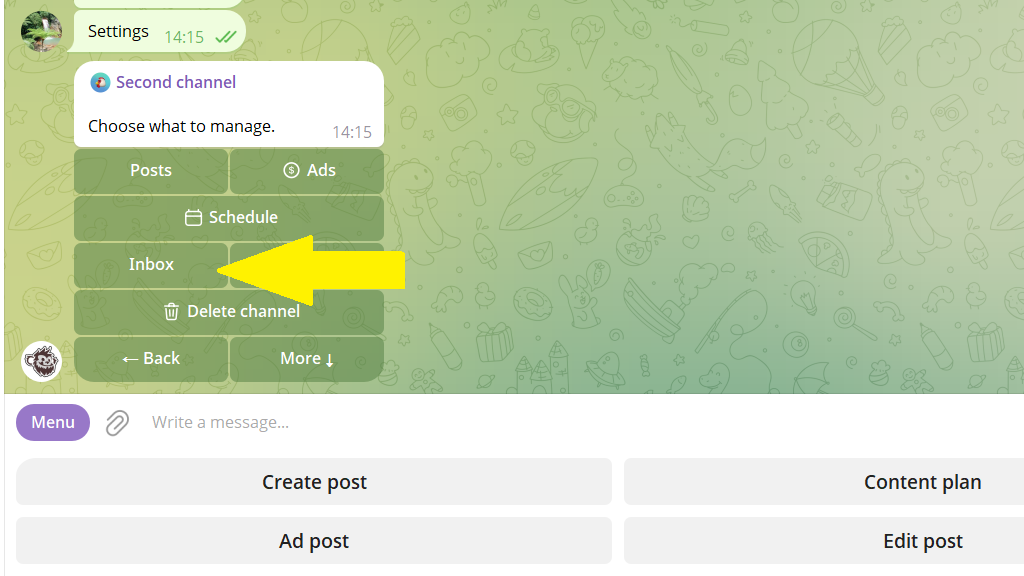
- Tap
Settingsor send/settings. - Select the channel whose inbox you want to set up.
- Tap
Inbox.
- Tap
Enable inbox.
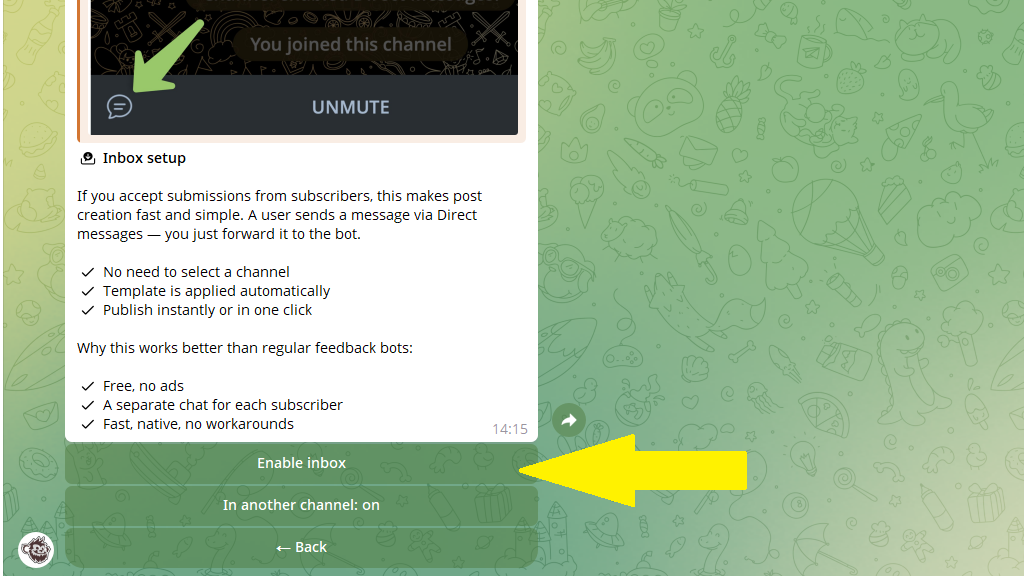
Open your channel inbox, select a subscriber's post, and forward it to Posto. The post will be published in your channel.
Step 3. Customize the inbox
The Inbox section includes a few optional settings:
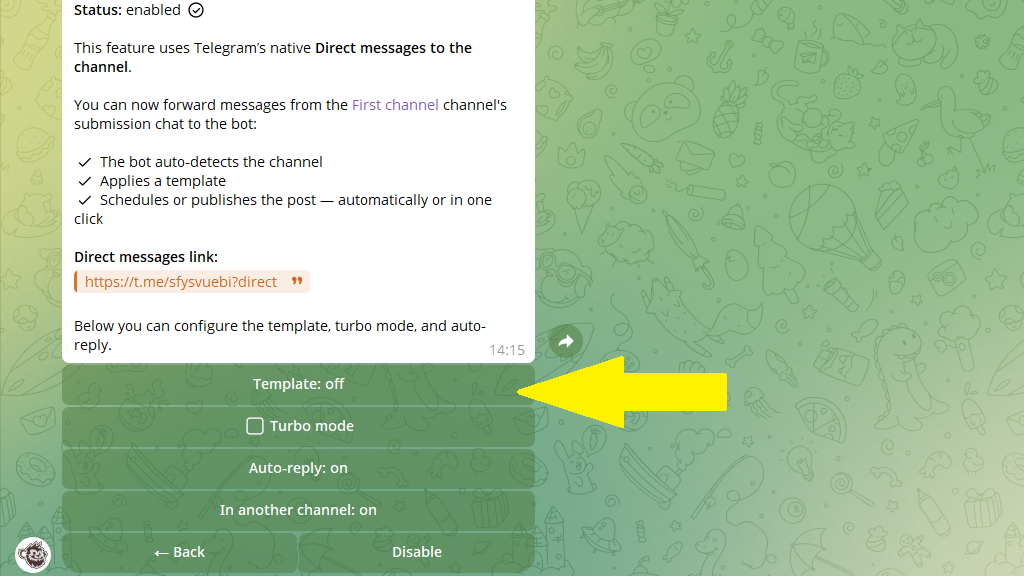
Template — automatically applies publishing settings such as a signature, auto-delete timer, or schedule.
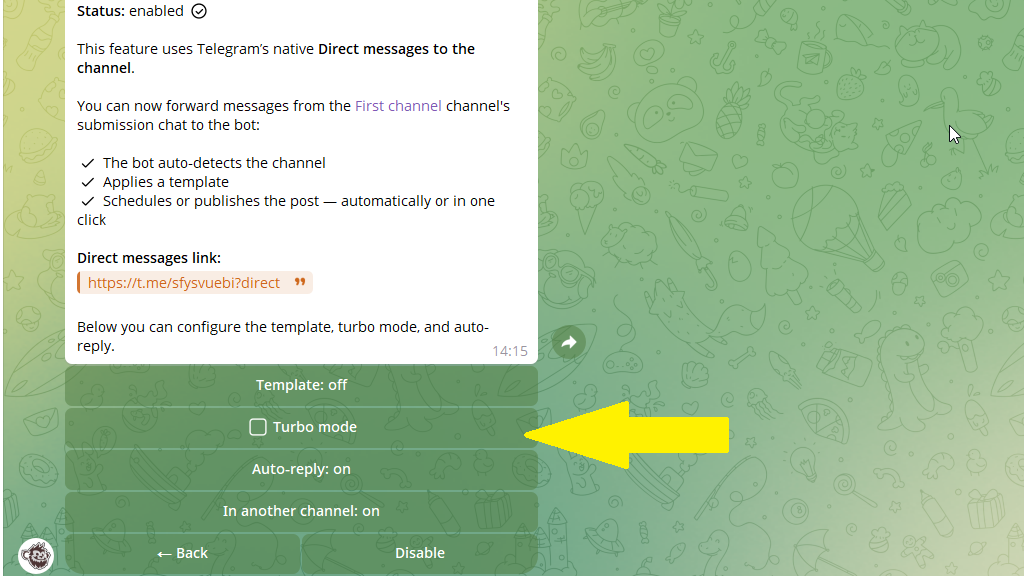
Turbo mode — publishes messages automatically without asking you to confirm each one.
Auto-reply — sends a message to subscribers as soon as they submit a post.
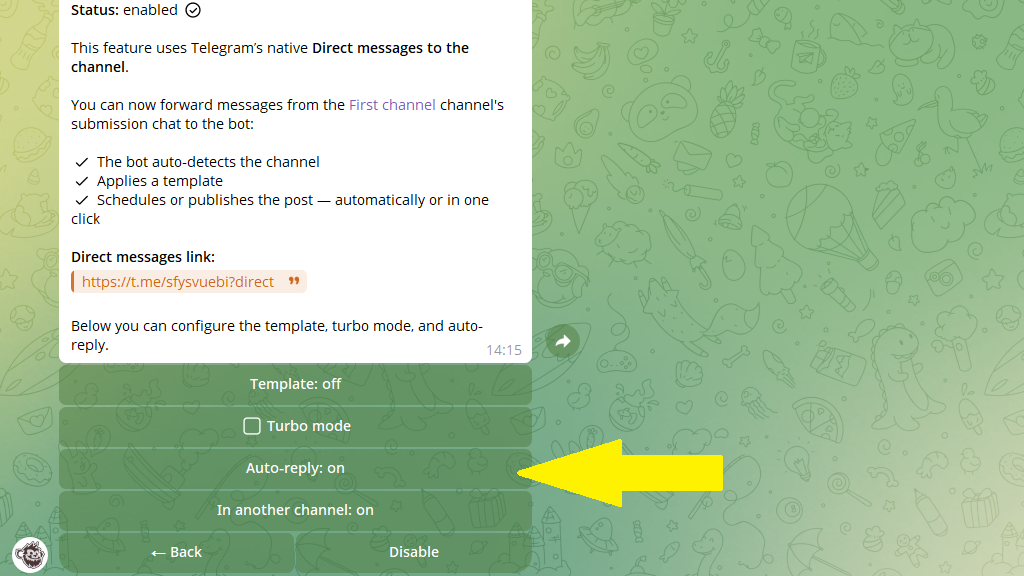
Use a separate channel for submissions
If your main channel is private, collect submissions in a separate public channel:
- Create a public channel for subscriber messages. Turn on
Direct Messagesand make sure@postois an admin with theManage Direct Messagespermission. - Add a link to that public channel in your private channel, for example in a button or post signature.
- In
Inbox, tapIn another channel.
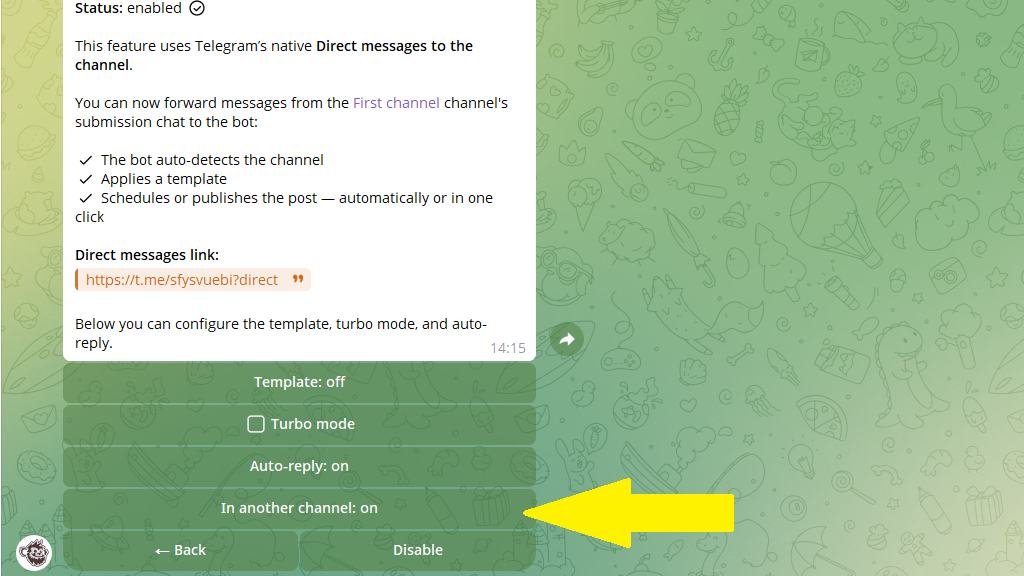
- Forward any message from the public channel to Posto.
That's it. Forward subscriber posts from the public channel's inbox to Posto, and they will be published in your main channel.
