
If you have several similar channels, make their content unique. Set up automatic rewriting once, and the bot will turn each post into several unique versions — one for each channel.
First, create a template
1. Tap Settings in the menu or send /settings.
2. Choose New template.
3. Specify the main channel the post will be copied from.
4. Tap Multi-posting and choose the additional channels.
5. Tap Back → Edit for other channels.
Set up rewriting for each channel
For the second channel:
6. Tap AI Assistant → Auto-rewrite text.
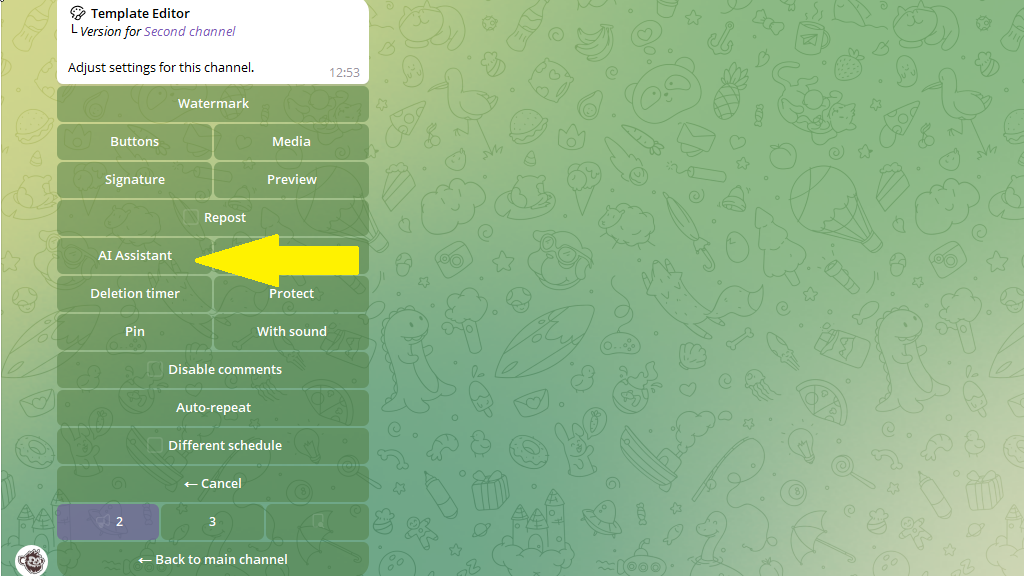
7. Send the bot a prompt (for example: "Make the text more emotional" or "Rewrite it in a business style").
8. Then switch to the next channel in the bottom menu bar and set up rewriting for it.
The menu header shows which channel you're currently setting up.
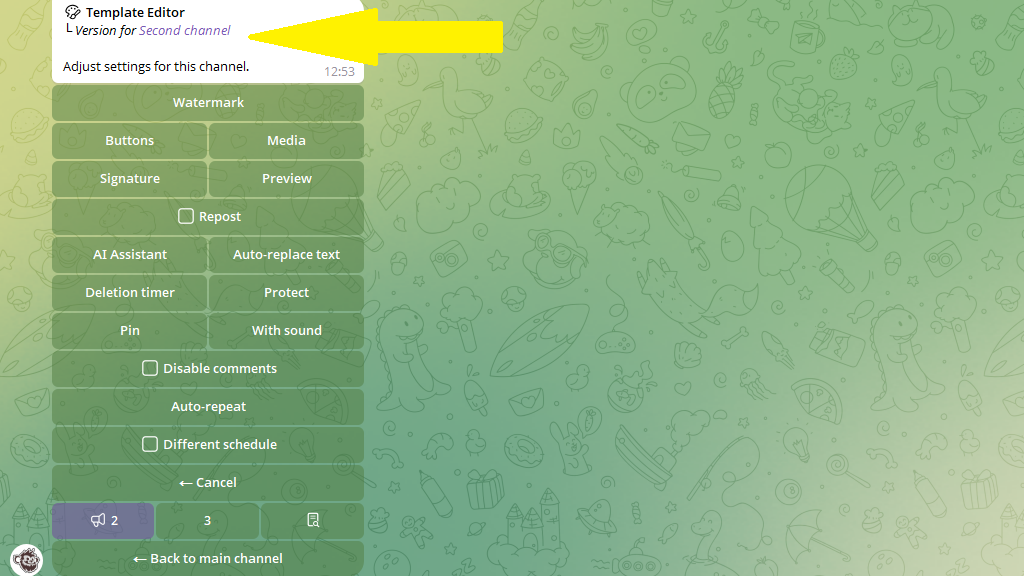
9. When all the channels are set up, tap Back to main channel → Save and give your template a name.
How to publish with a template
Now publishing comes down to two steps:
- In the post editor, choose the template with auto-rewriting.
- Send the post content to the bot.
That's it! The bot automatically creates a unique version for each channel.
