
Distribute evenly schedules a batch of posts across the next few days without using fixed schedule slots. The button appears when you send three or more posts to Posto at once.
This flexible schedule works well when:
- you don't publish at fixed times;
- the number of posts changes from day to day;
- you want the posting flow to feel more natural.
How it works
- Open the channel where you keep your drafts, select the posts, and forward them to Posto.
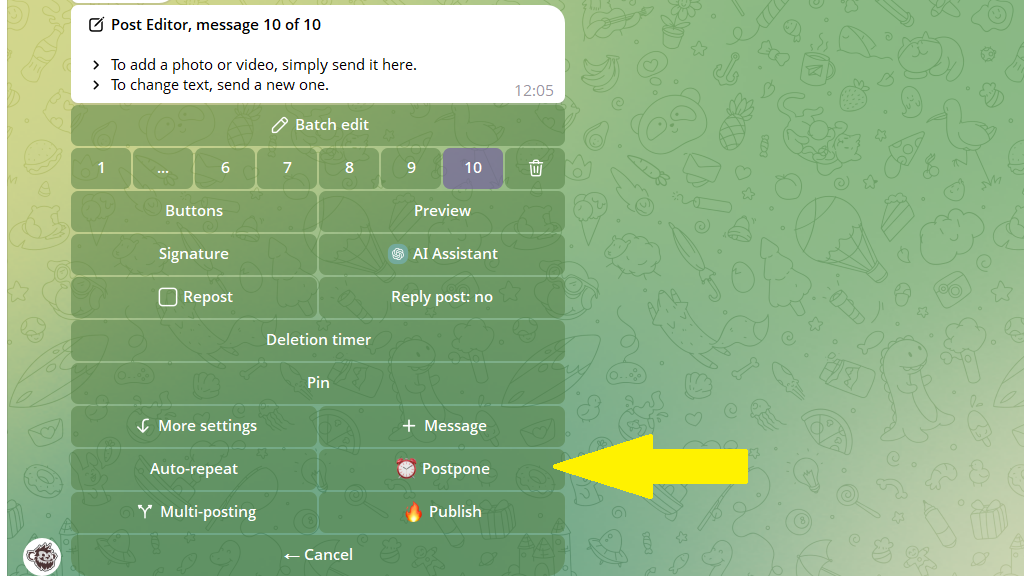
- In the editor, tap
Postpone.
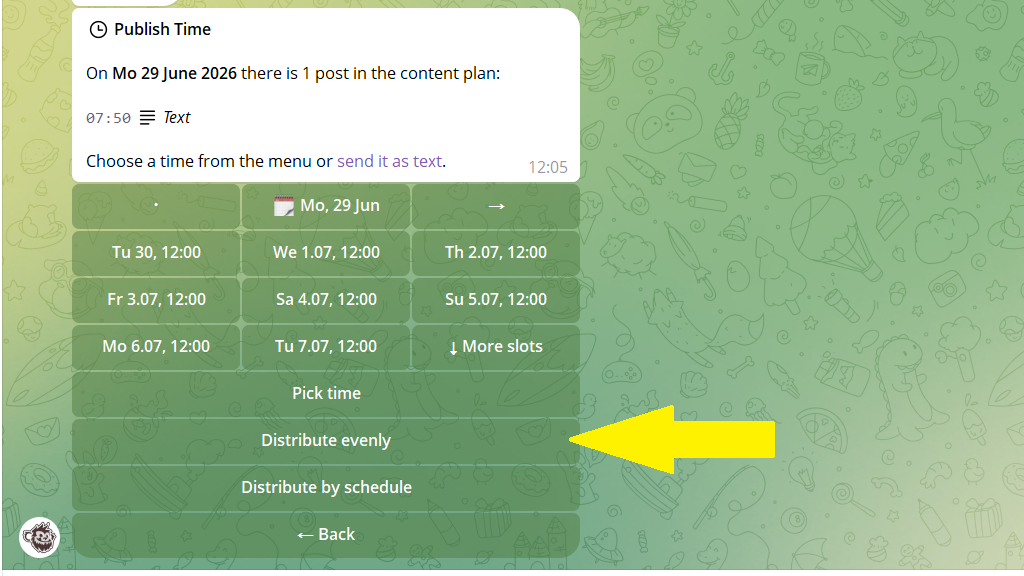
- Tap
Distribute evenly.
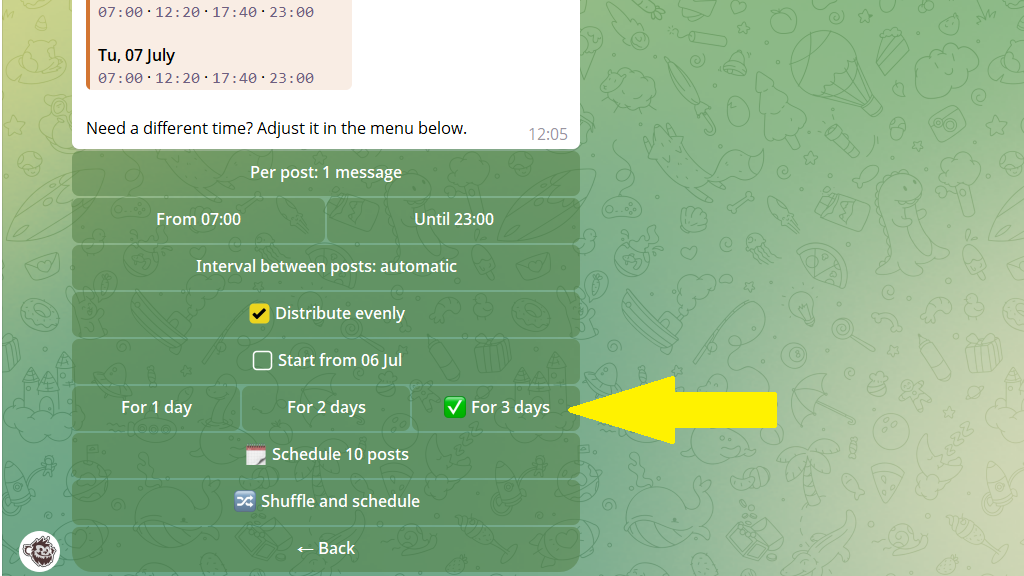
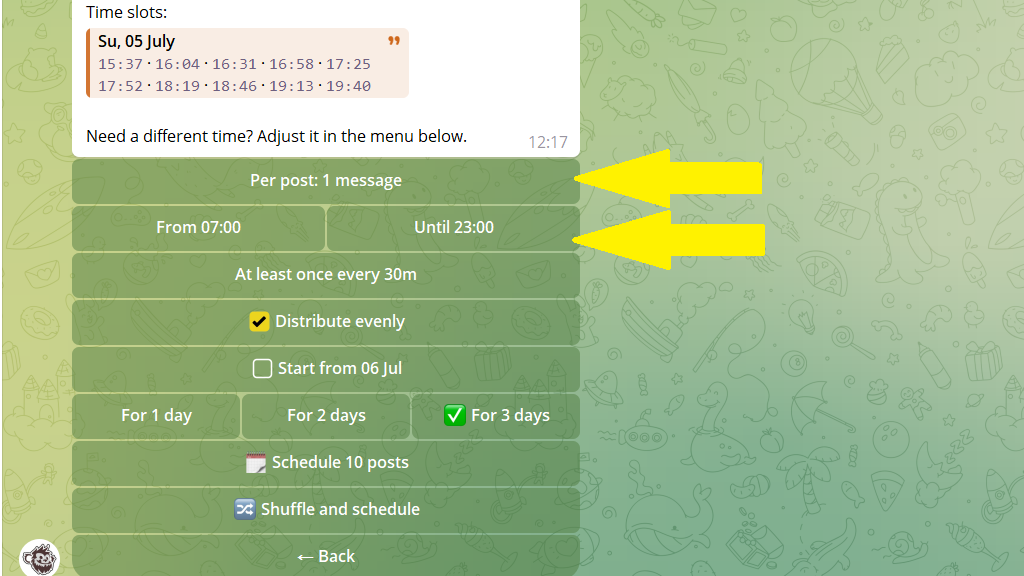
- Choose how many days to spread the batch across.
- If needed, set the maximum time between publications. For example, choose 30 minutes to publish more frequently instead of spreading the posts throughout the day.
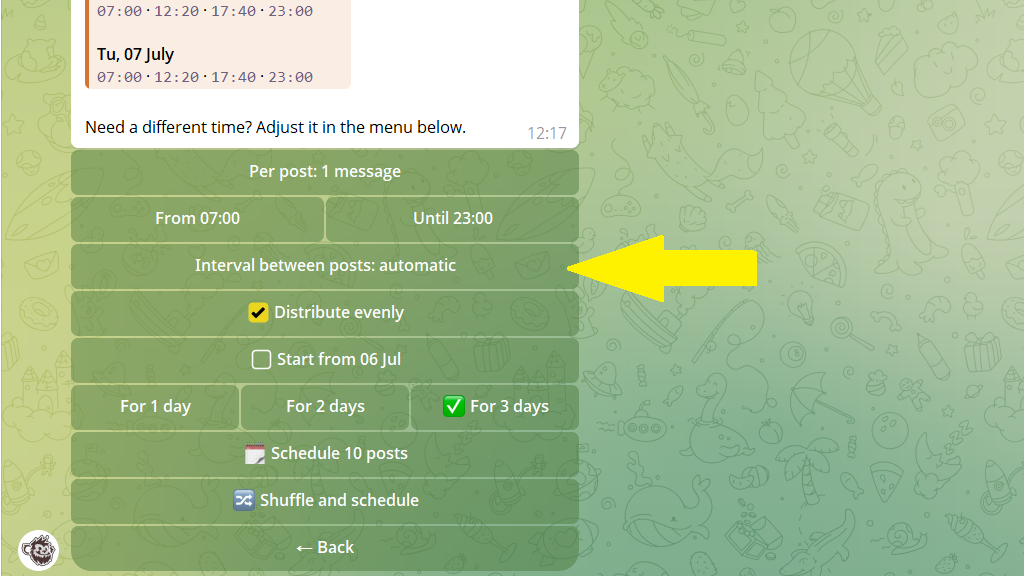
- You can also choose how many posts to publish at a time and set a publishing window, such as 9:00 AM to 10:00 PM.
- Confirm the schedule.
