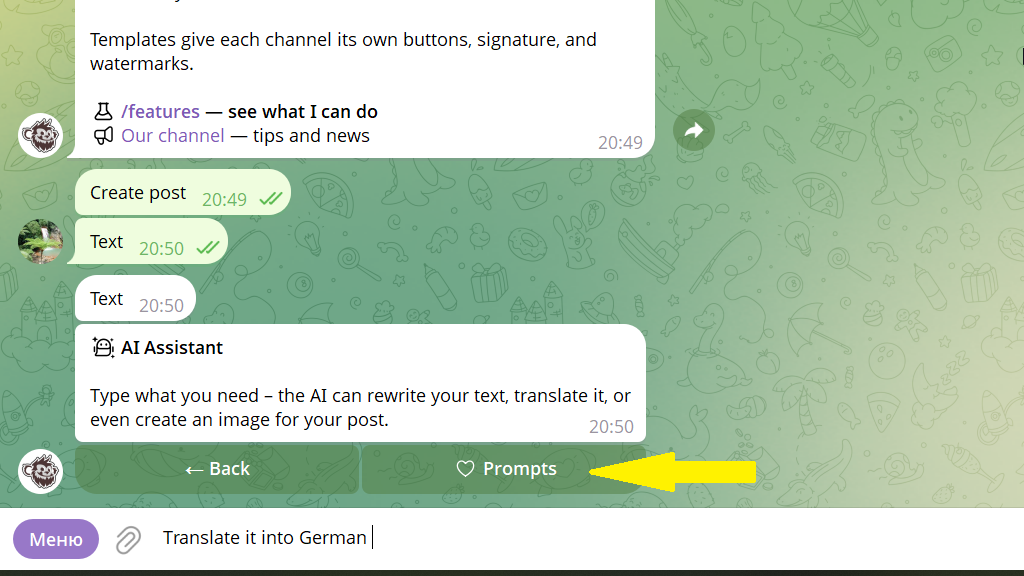
Artificial intelligence turns writing posts into a fast, convenient process. With AI, you can:
- rewrite text
- rewrite text in a specific style, for example formal or conversational
- shorten a long text
- translate text into another language
- generate an image for the post
How to create a post with AI
1. Open the post editor.
2. Tap AI Assistant.
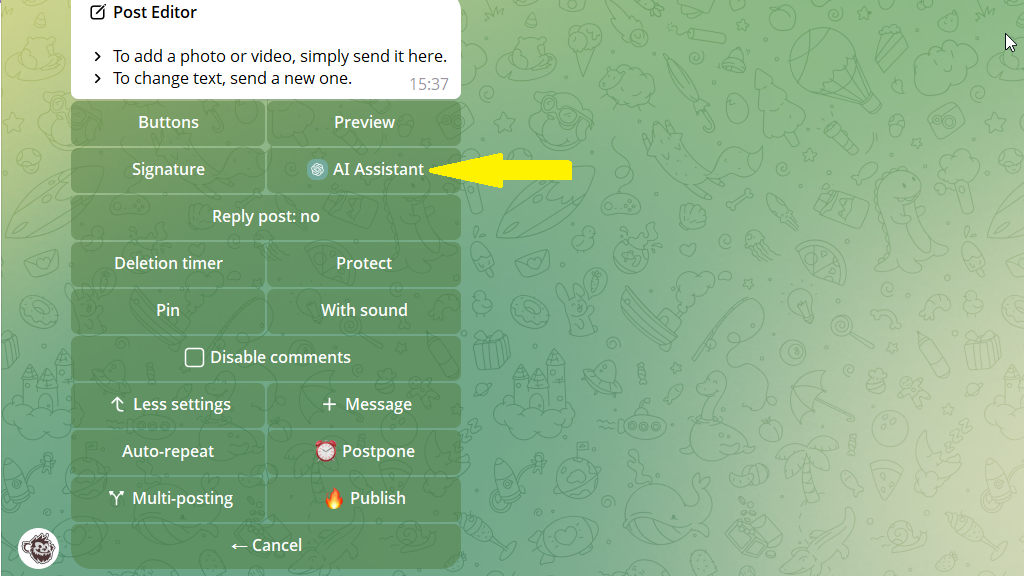
3. Enter the prompt you need, for example: "Draw an image on the topic of the post using a blue-green color palette".
4. Tap Apply response, then publish or schedule the post.
Example
Let's say you want to copy a post to another channel so that it goes out there in a different language.
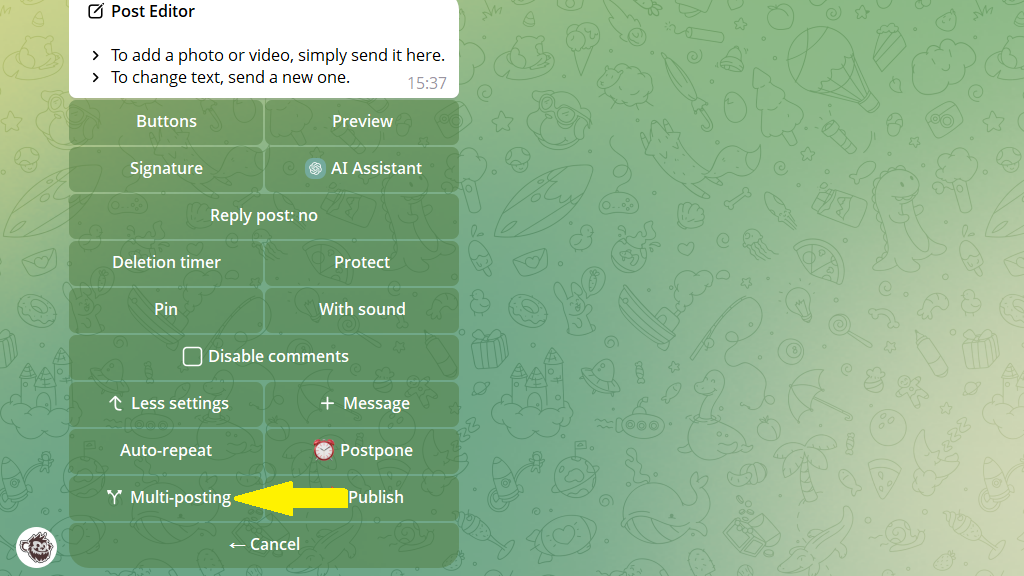
Step 1. Tap Multi-posting and choose the channel to copy to.
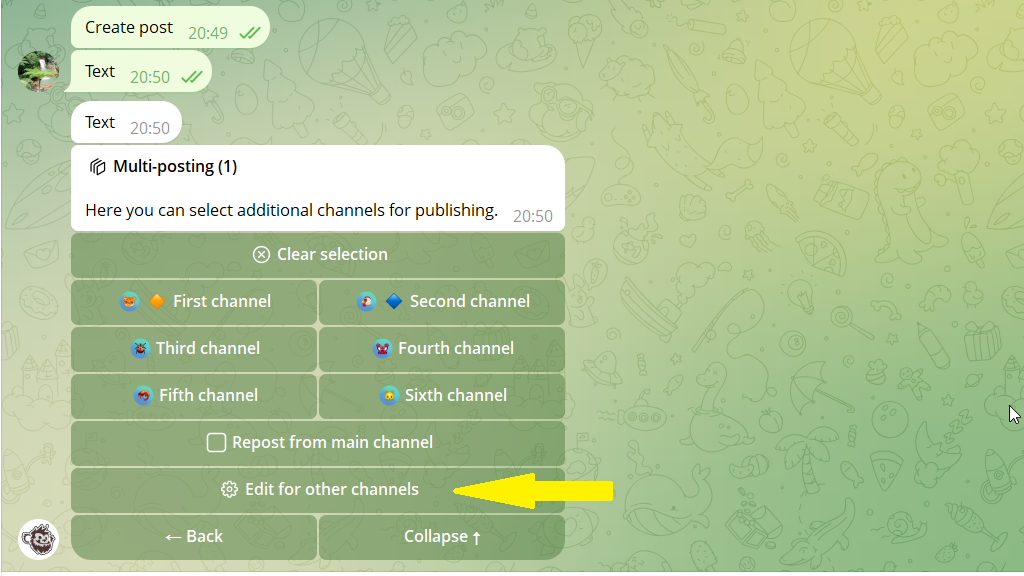
Step 2. Tap More → Edit for other channels to go to the additional channel's settings.
Step 3. Tap AI Assistant and enter the prompt: "Translate into German".
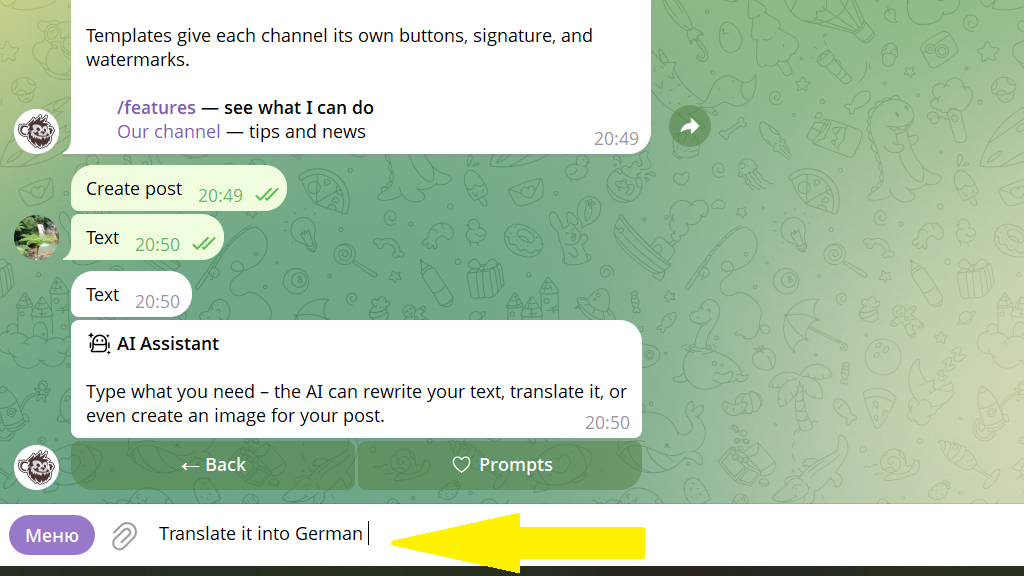
Step 4. Tap Apply response, then publish or schedule the post. In the main channel the post goes out in the original language, and in the additional channel — in German.
Favorites
If you use the same prompt regularly, save it to Favorites so you don't have to type it by hand every time. To do this, tap AI Assistant → Prompts and enter the prompt text.