
If a discussion group is linked to the channel, a button to open comments appears under posts. For a single post, you can hide this button — for example, if it's an ad post and the client asks you not to open a discussion.
Here's how:
1. Open the post editor.
2. Tap Disable comments.
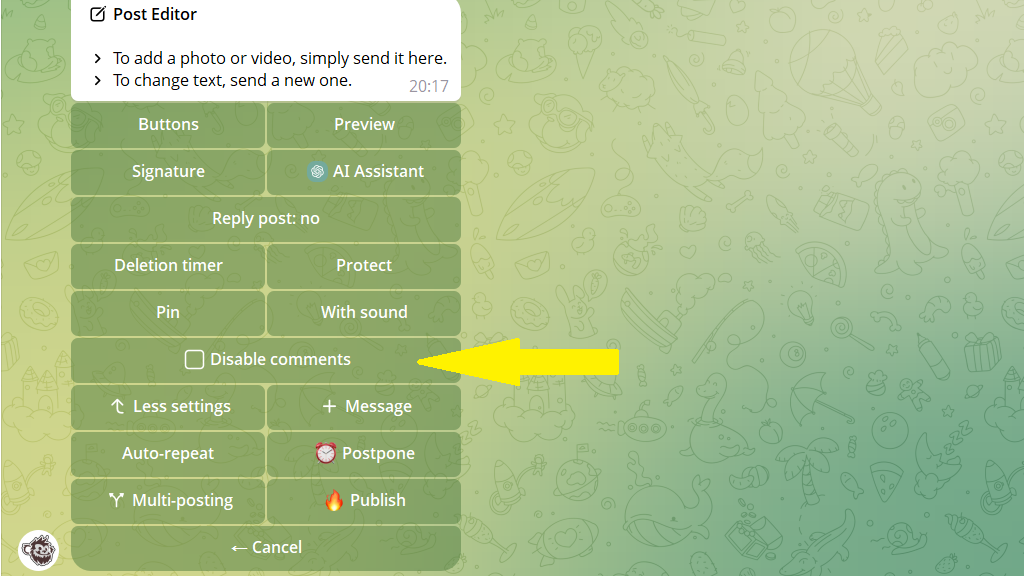
That's it! This post will go out in the channel with commenting turned off.
