
Auto-repeat publishes a post at a chosen interval or every day at a set time. Repetition can continue indefinitely or end on a specified date. The minimum interval between publications is 60 minutes.
How to set a post to auto-repeat
1. Open the post editor.
2. Tap Auto-repeat.
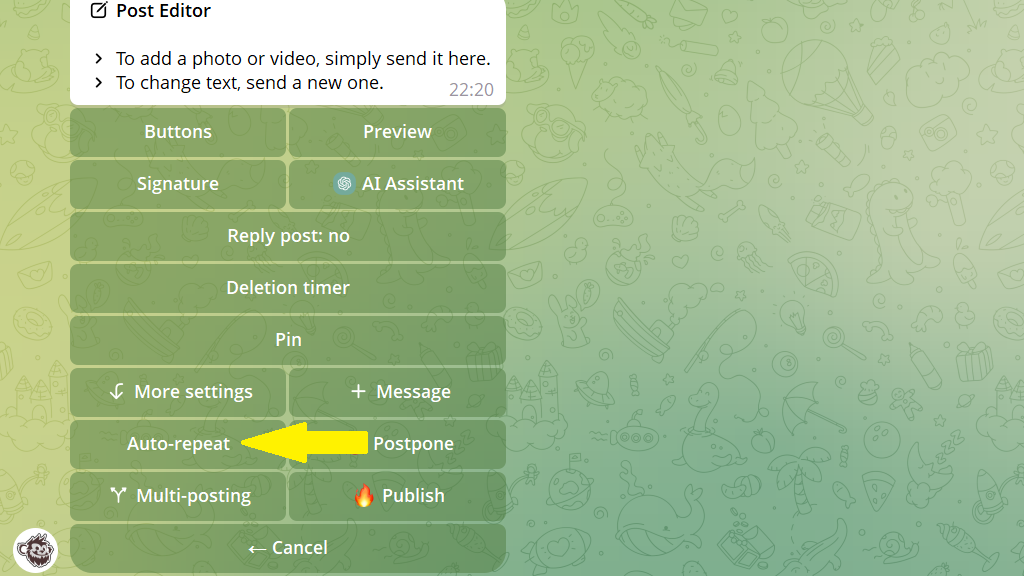
3. Set the repeat interval and the total duration of the cycle.
Available options:
- daily at a set time with no end date;
- daily at a set time until a chosen date;
- at regular intervals with no end date;
- at regular intervals until a chosen date.
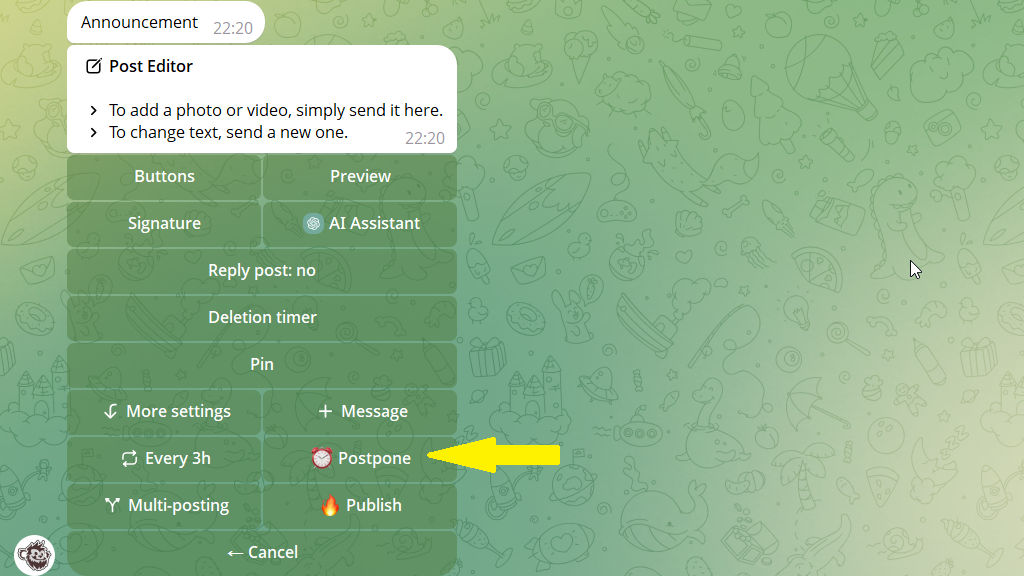
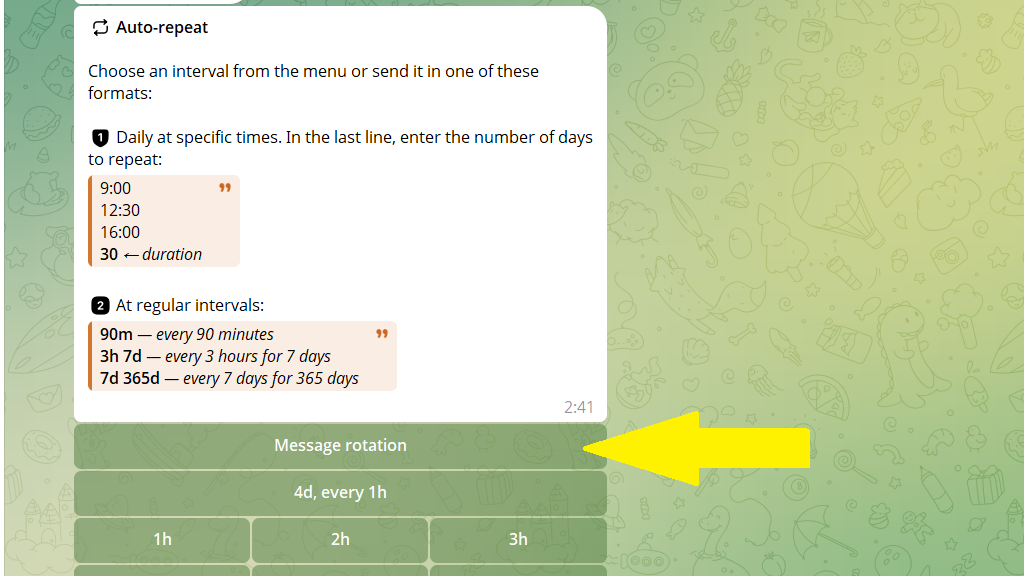
You can choose an interval from the table. For example, if you tap 3h, the post will be published every three hours indefinitely.
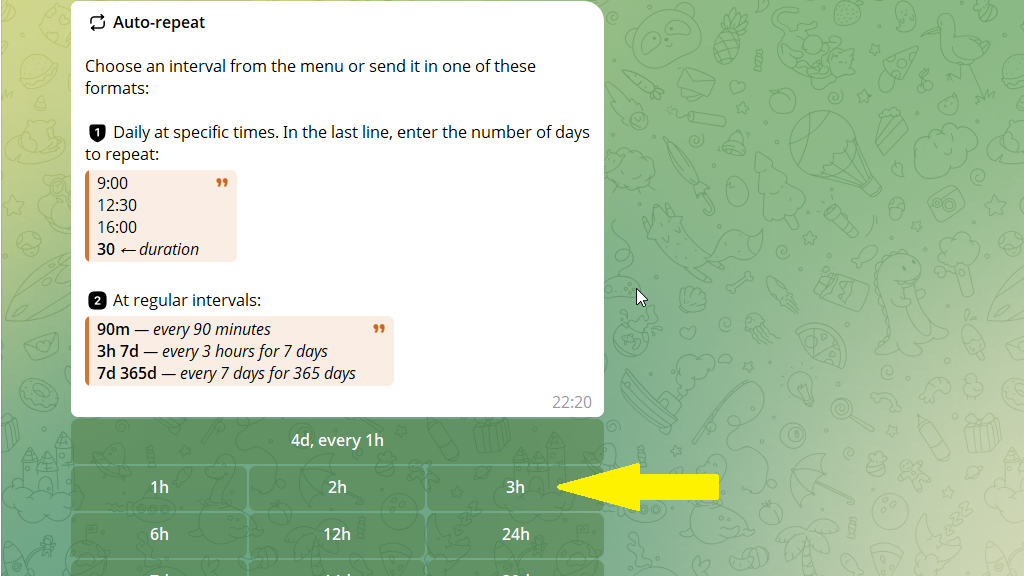
If you enter 9:00, the post will be published every day at 9:00. Add 7 to end auto-repeat after seven days.
4. Tap Postpone and set the time of the first publication.
How to schedule one post for different dates
You can schedule one post for several dates at once.
For example:
- October 1 at 10:00;
- October 3 at 13:00;
- October 20 at 14:25.
To do this:
1. Open the post editor.
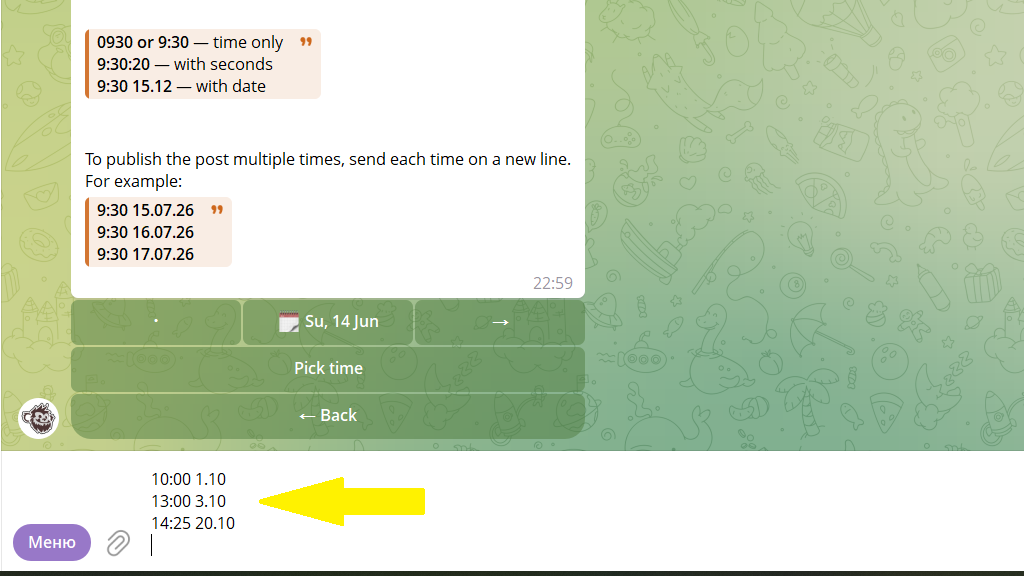
2. Tap Postpone and enter the publication times:
10:00 1.10
13:00 3.10
14:25 20.10
How to rotate versions of a repeating post
Identical posts quickly become repetitive for subscribers and lose effectiveness over time. Add several versions of the same post, and the next version will be published with each repeat.
To do this:
1. Send the bot the first version of the post.
2. Tap + Message and add the remaining versions. You can add up to ten messages in total.
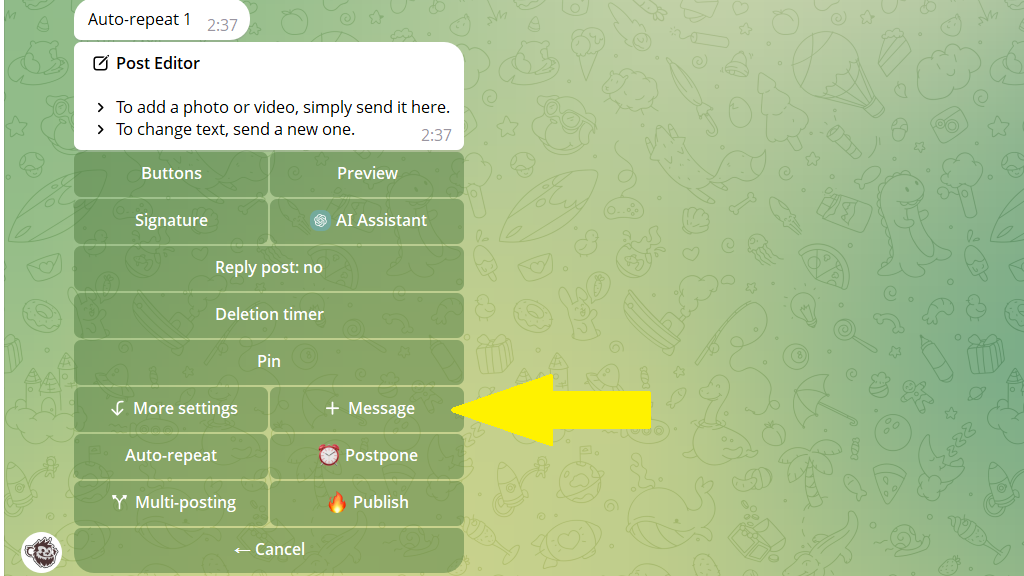
3. Tap Auto-repeat → Message rotation.
4. Select In order or Random.
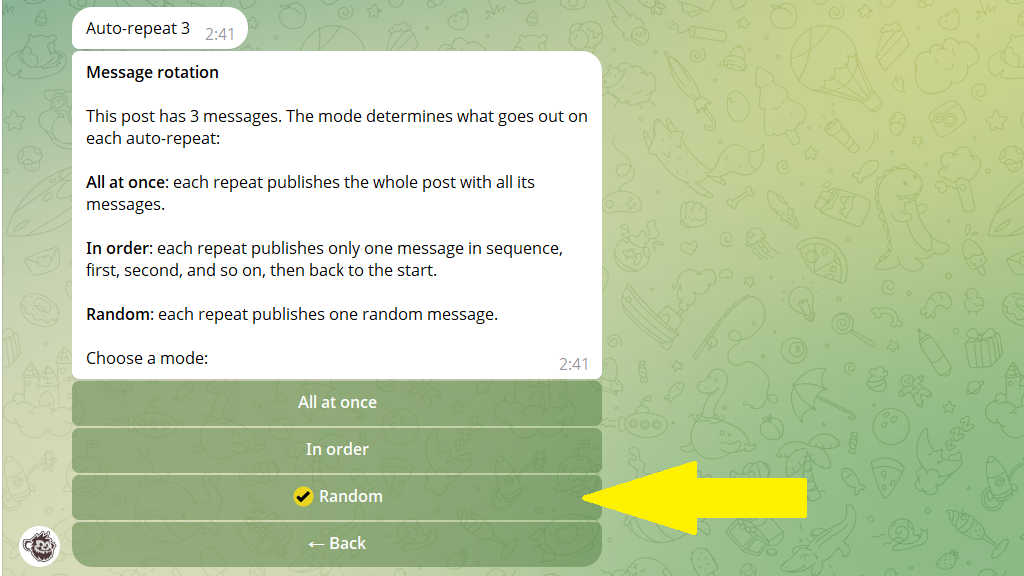
5. Tap Back and set the auto-repeat interval.
6. Publish the post immediately or tap Postpone to select the time of the first publication.
