
The "Add a message" feature lets you make a single post out of two or more messages. In other words, several messages are published as one post — as a single block, all at once.
When this feature comes in handy:
- When you need to split a long text into several parts for better readability.
- When you need to publish a step-by-step guide made of several messages.
- When you need to add a button under an album of several photos or videos. Telegram doesn't allow buttons under an album, and a second message (short text + button) solves this.
- When you need to publish a file plus an explanation for it. Everything goes out to the channel at once and reads as a single post.
- When you need to publish a poll plus context. First you give a detailed text with the background, then the poll.
How to create a post out of several messages
1. Open the post editor.
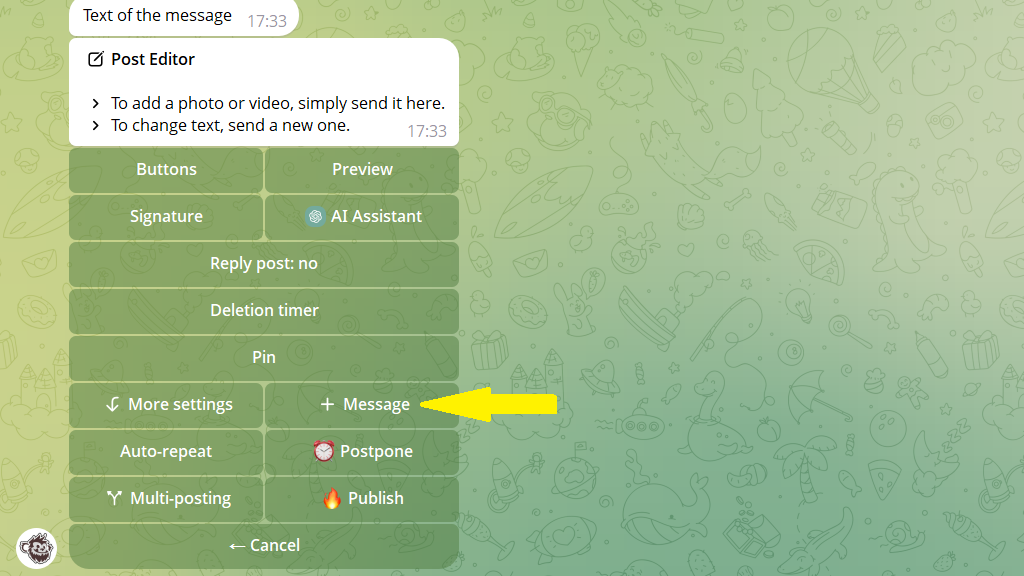
2. Tap + message and send the additional message.
3. Publish or schedule the post.
