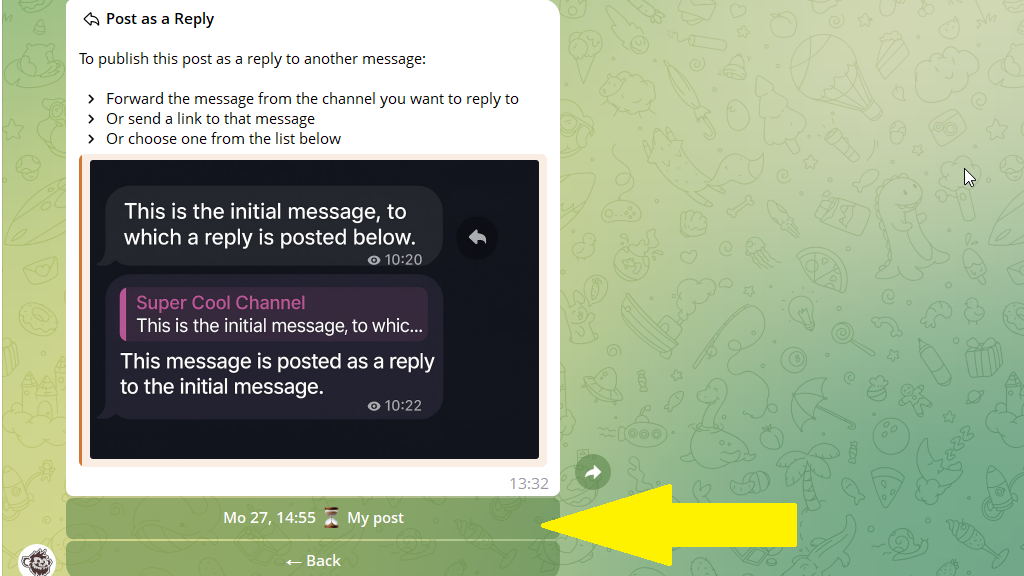
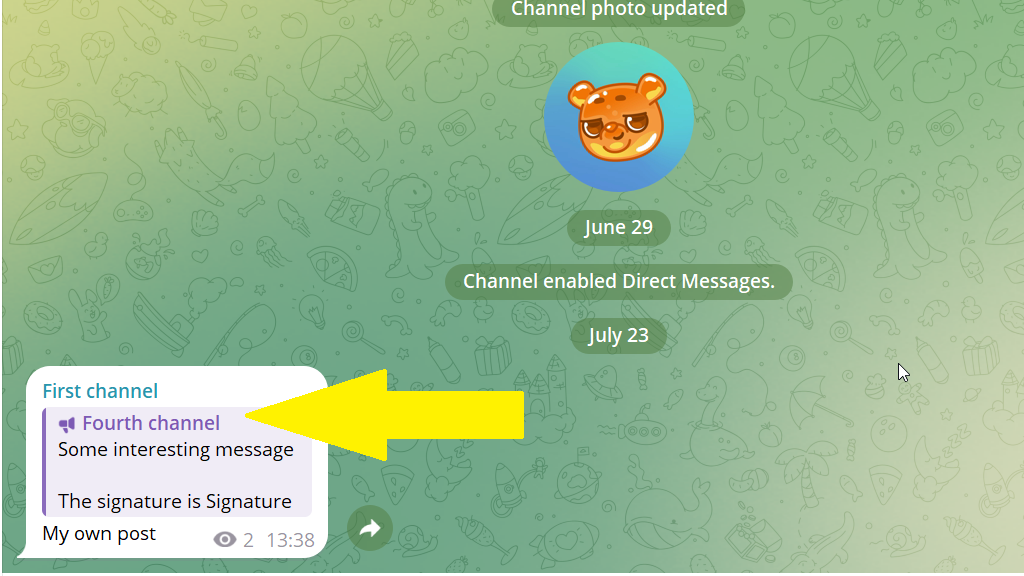
A reply post is published as a reply to another post in your own channel or another channel. Use it to comment on a publication, continue a topic, or remind subscribers about an offer.
The reply post includes a link to the original publication. Subscribers can see which post you are replying to and open it.
How to reply to a published post
1. Open the post editor.
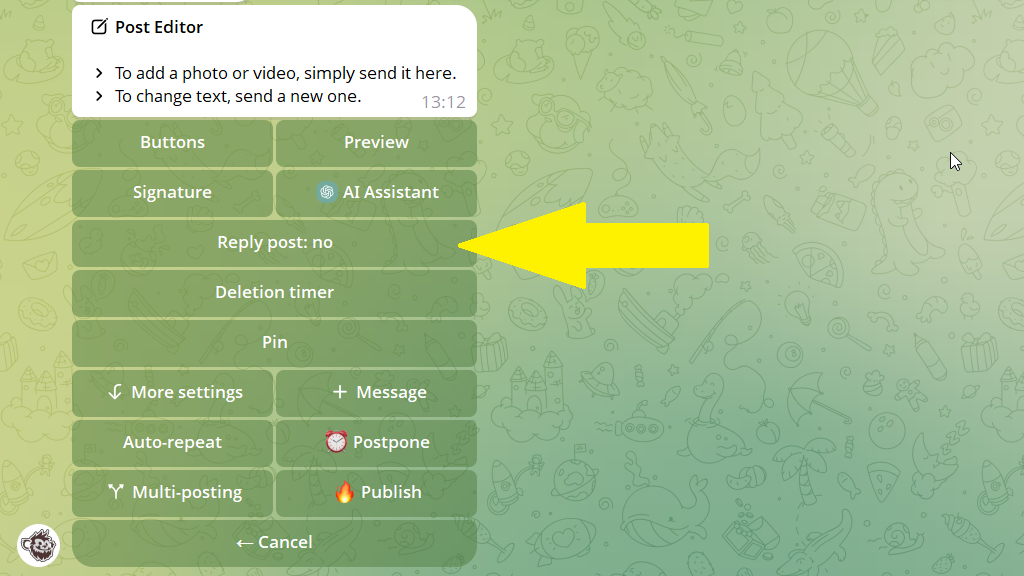
2. Tap Reply post.
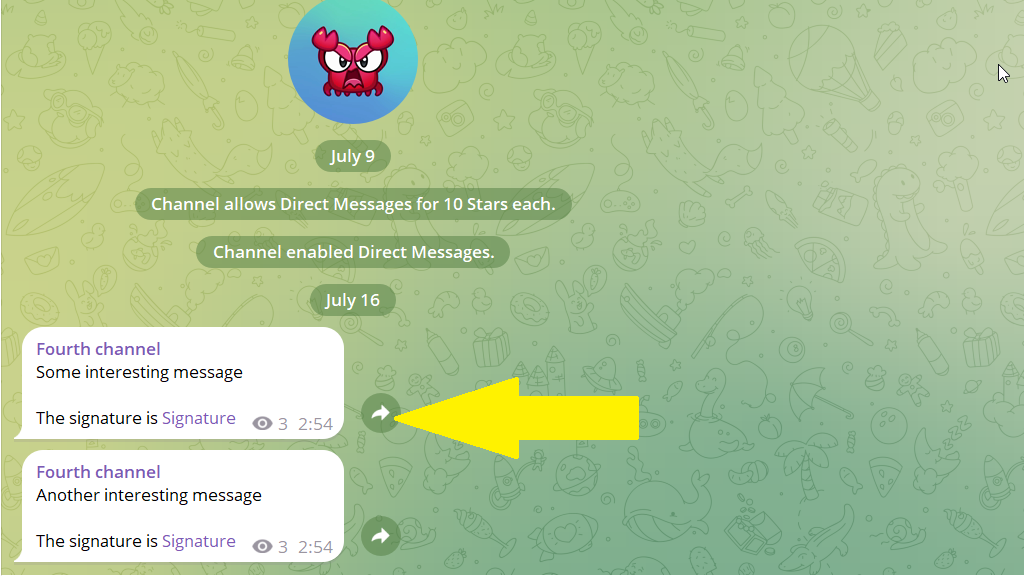
3. Open the channel containing the original post. Select the publication and tap the forward icon.
4. Return to Posto. The bot will confirm that the new post will be published as a reply to the forwarded publication.
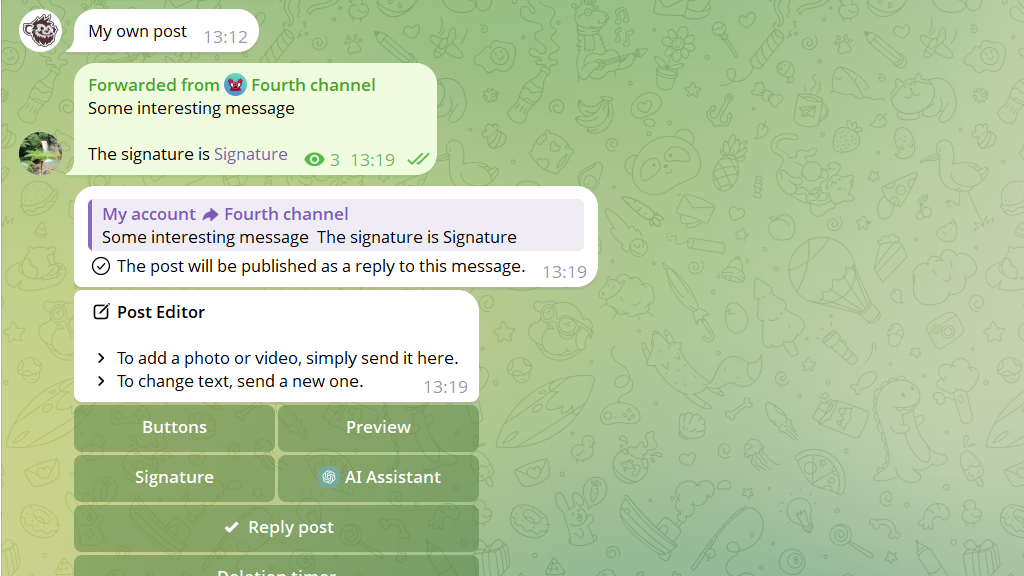
5. Publish the post immediately or tap Postpone.
How to reply to a scheduled post
You can create a post that will be published as a reply to another scheduled post in your channel.
1. Open the post editor.
2. Tap Reply post.
3. Select the required post from the list of scheduled publications in this channel.
4. Tap Postpone and set the publication time.