
This feature means your post can't be copied, forwarded to another channel, or screenshotted. The user sees the message: "Copying and forwarding are not allowed".
How to protect content from copying
1. Open the post editor.
2. Tap Protect.
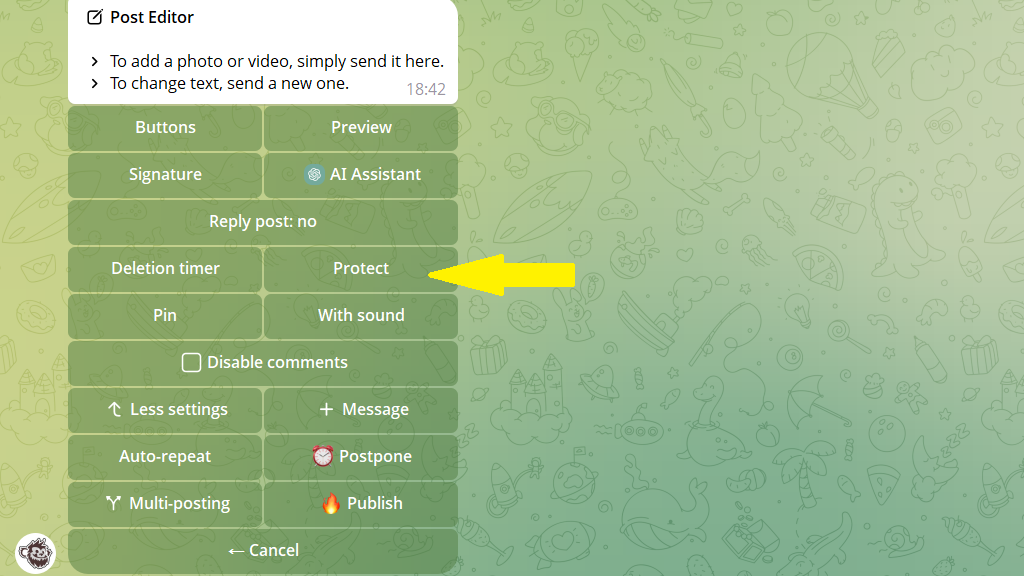
That's it! Your content is now protected from copying.
