
Skip to content
Posto/Help Center
Help Center
Multiple messages in one postHow to create a media postPhoto and video settings in a postPhoto slideshowHow to set up a link previewButtons below a postChannel signature (auto-signature)First reaction to a postPublication notification settingsHow to pin a postProtecting a post from copying and forwardingPost auto-delete timerHow to set up auto-repeat for Telegram postsHow to enable comments on postsHow to disable commentsMulti-posting across channelsReposting from another channelWatermark on photos and videosAI Assistant for creating postsHow to create a reply post in Telegram
Help/Beginners/First reaction to a post

First reaction to a post

Updated June 25, 2026·1 min read

People are more willing to react to posts that already have reactions. In Posto, you can choose in advance the reaction a post will go out with in the channel.
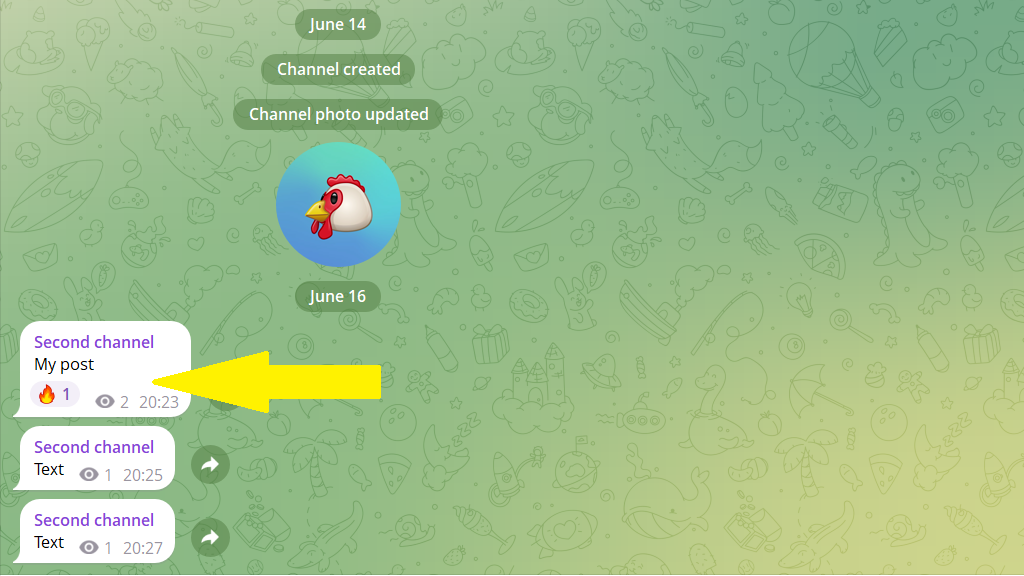
How to set a first reaction

1. Open the post editor.

2. Add any reaction to the message.
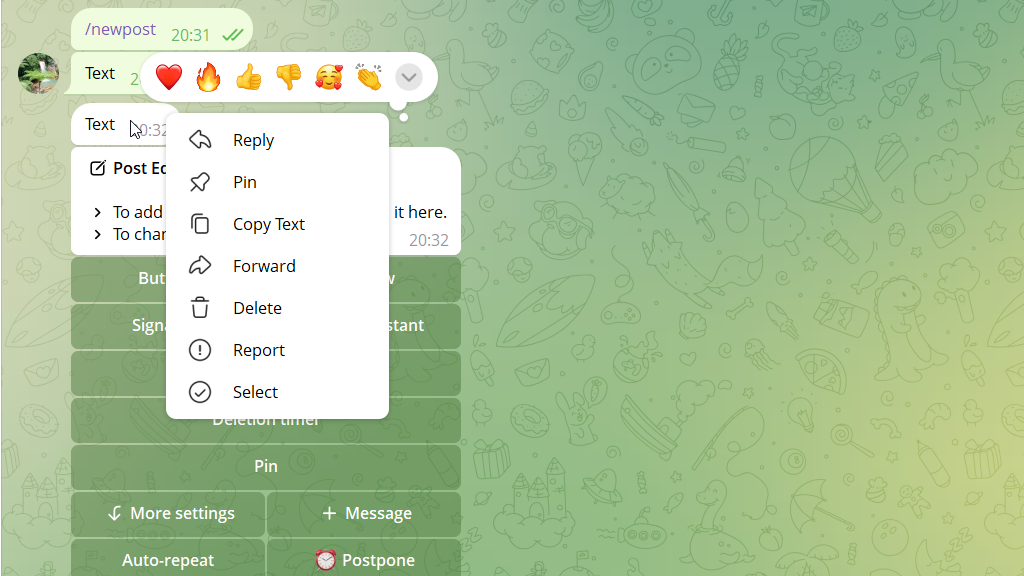
3. Publish or schedule the post. It will go out with the first reaction.

PreviousChannel signature (auto-signature)NextPublication notification settings

Related

Buttons below a postWhy subscribers stop reading a channelHow to write strong headlines, CTAs, and promises without clickbaitHow to pin a post
Still stuck? Write to our support team on Telegram — real humans reply. Contact support →
© 2026 Posto
Privacy policyTerms of use