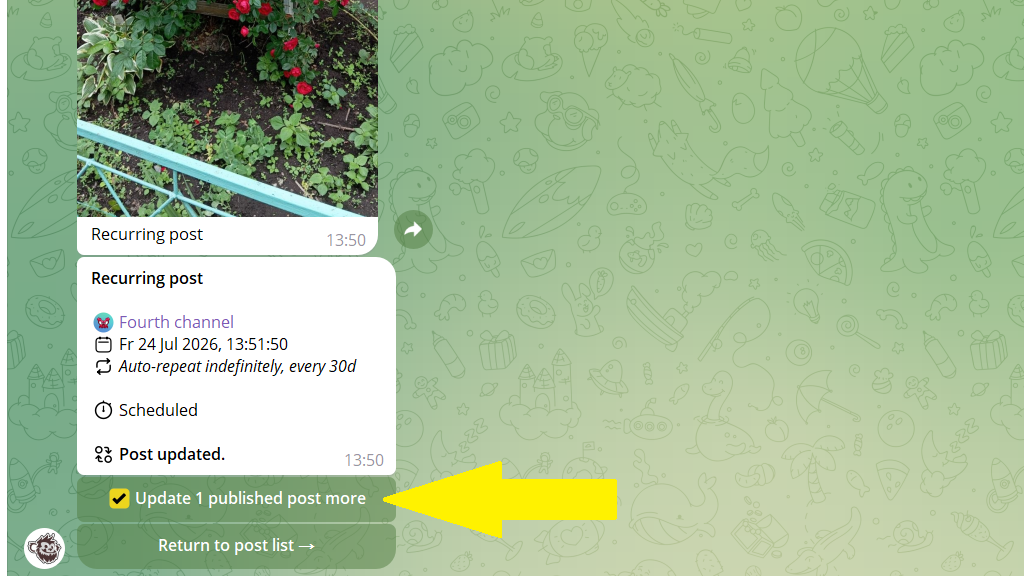
Auto-repeat is content that repeats automatically several times. The bot understands it's the same post, so you don't have to edit each copy separately. Change any post in the cycle and the other scheduled posts update automatically.
Editing the cycle's future publications
- Open any post from the series of repetitions via
Content planor theEdit postsection. - Tap
Edit post. - Send the bot new text or media, and make any other changes.
- Go back to the post settings and tap
Save.
That's it! All the scheduled posts in this cycle are updated with the new content.
Updating repetitions that are already published
After you save the changes, the bot shows the Update X more published posts option. Turn on the checkbox, then tap Return to post list.