
This feature deletes a post from all the channels it was scheduled to. It deletes:
- All variations of the post, including those with a replaced signature or a rewrite
- All auto-repeats
To delete a post across all channels at once:
- Open the post in any of the channels via
Content planor theEdit postsection. - Tap
Delete. - Choose the
In all channelsoption and confirm the operation.
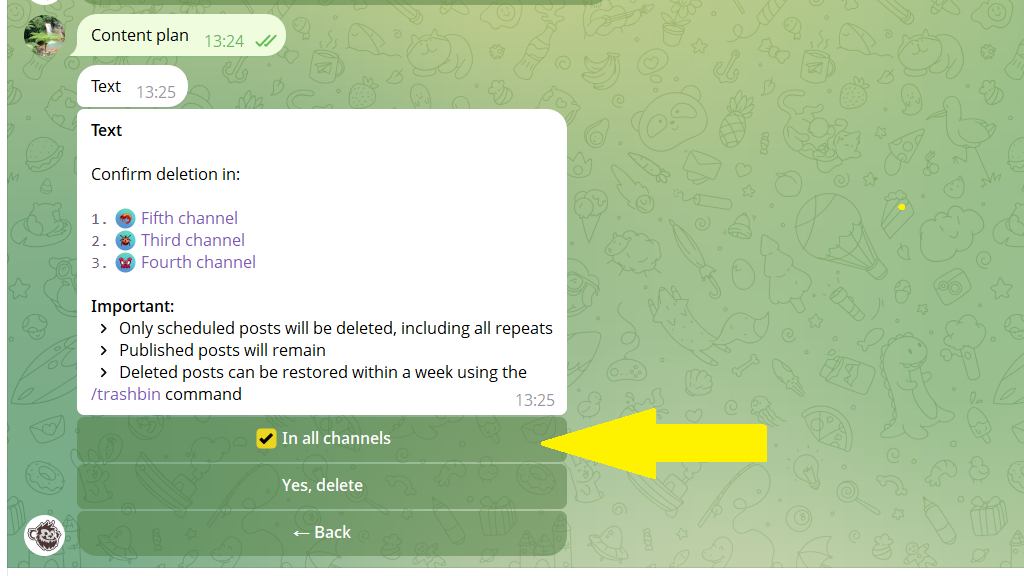
Deleted posts are kept in the trash for a week. You can restore them with the /trashbin command.
