
Say you publish English lessons at 18:00, but analytics show activity is higher at 20:00. And you have posts in the content plan a month ahead.
You can shift all the category's posts in a couple of clicks, without editing each post by hand:
- Tap
Content planin the bottom menu or send the/plancommand. - Tap
Bulk operations.
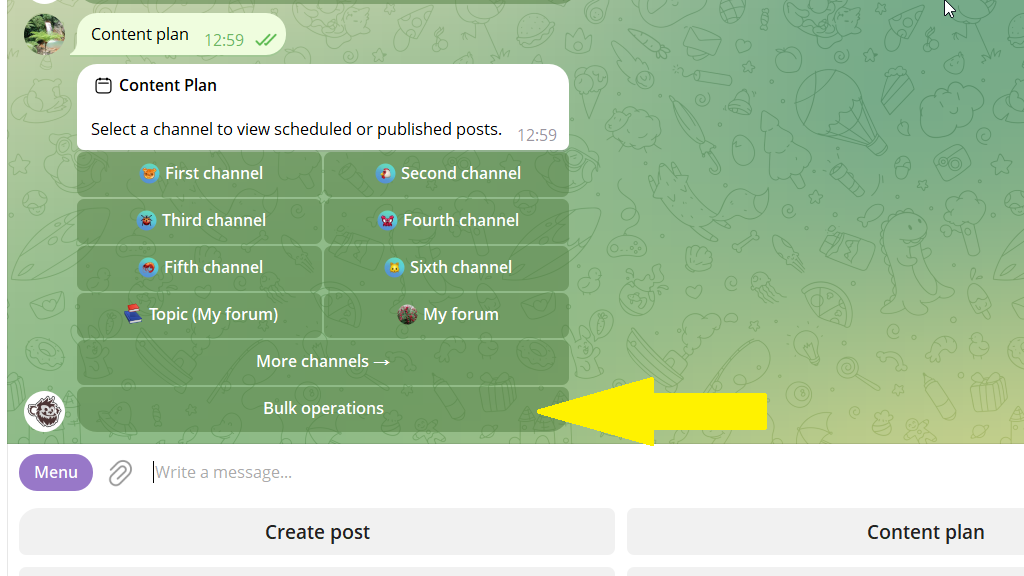
If you want to move a specific channel's posts, select it first, then go to bulk operations.
3. Tap Shift publication time → Filter and choose the category.
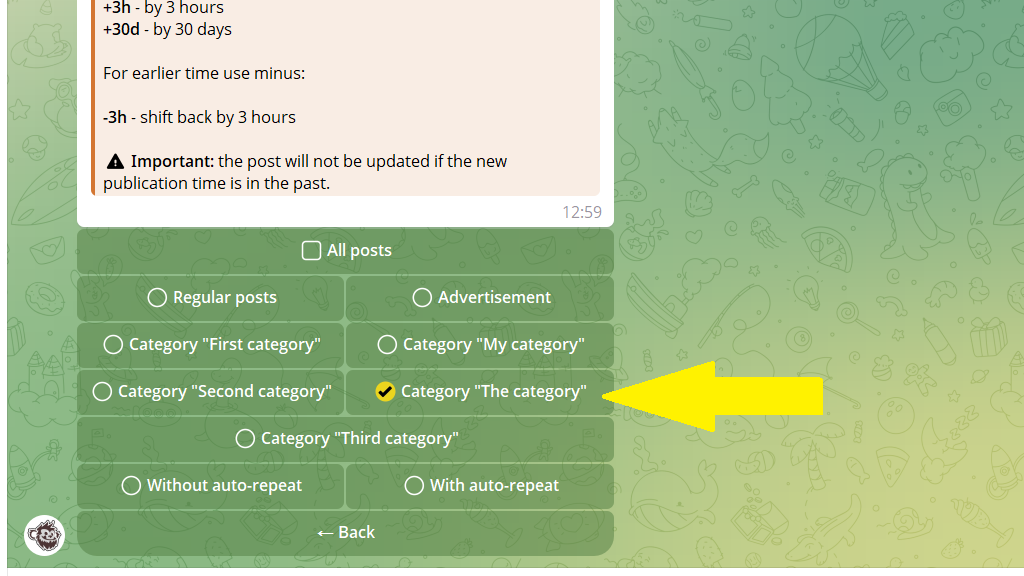
4. Send the bot the time shift in this format:
+1h — shift an hour forward
-30m — shift 30 minutes back
That's it! All the category's scheduled posts will now go out at the new time.
