
If you decide to change the signature, you can replace it in all your scheduled and published posts in a few clicks.
First, edit any of the posts with the old signature:
- Open the post editor via the
Edit postsection orContent plan. - Tap
Edit→Signatureand send a new version of it.
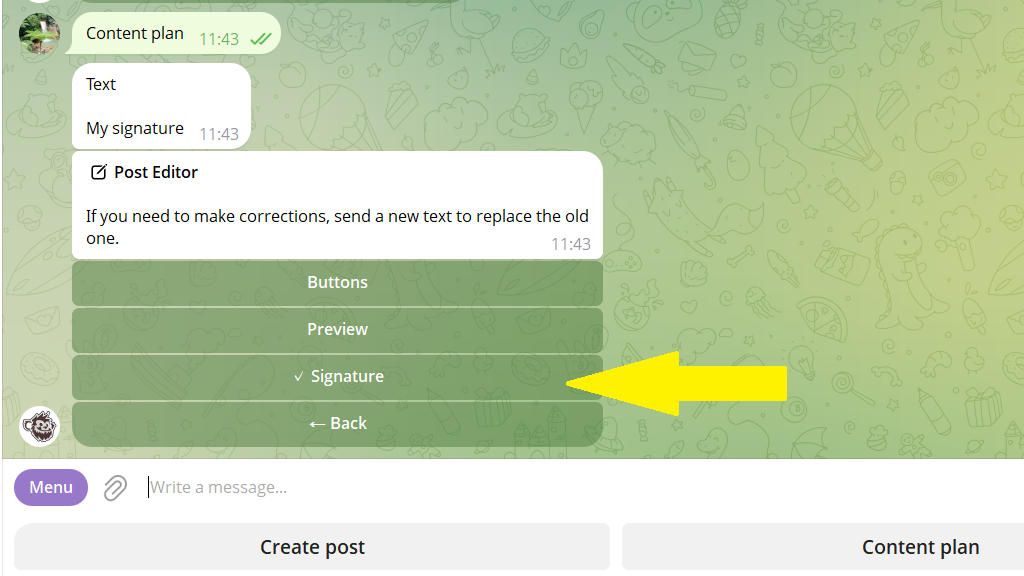
3. Save your changes.
Bulk replacement
4. The bot recognizes that the signature was updated and shows the Bulk replacements button. Tap it.
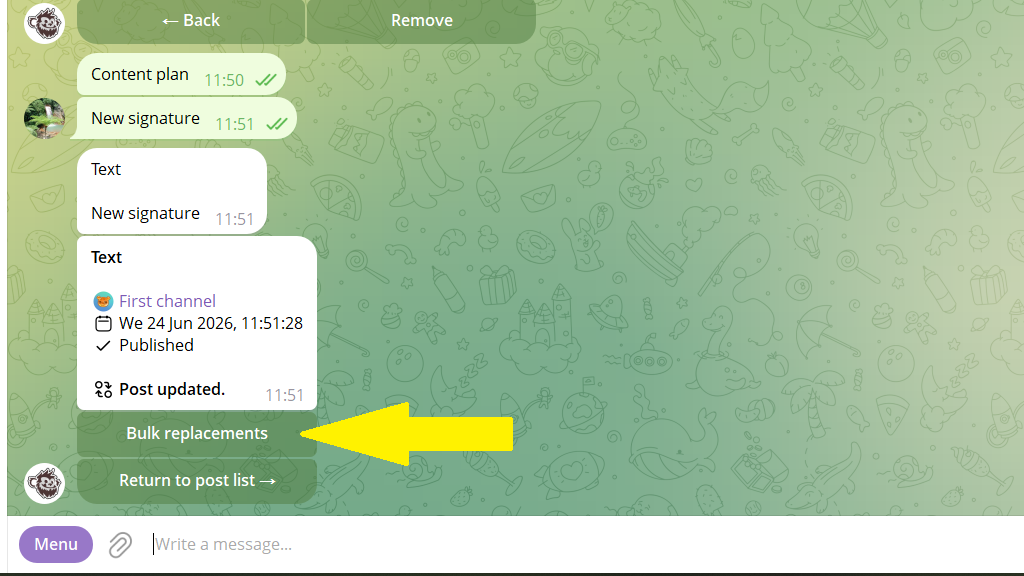
5. Check the Replace signature button.
If you need to update only scheduled or only published posts, open the filter and set the value you need.
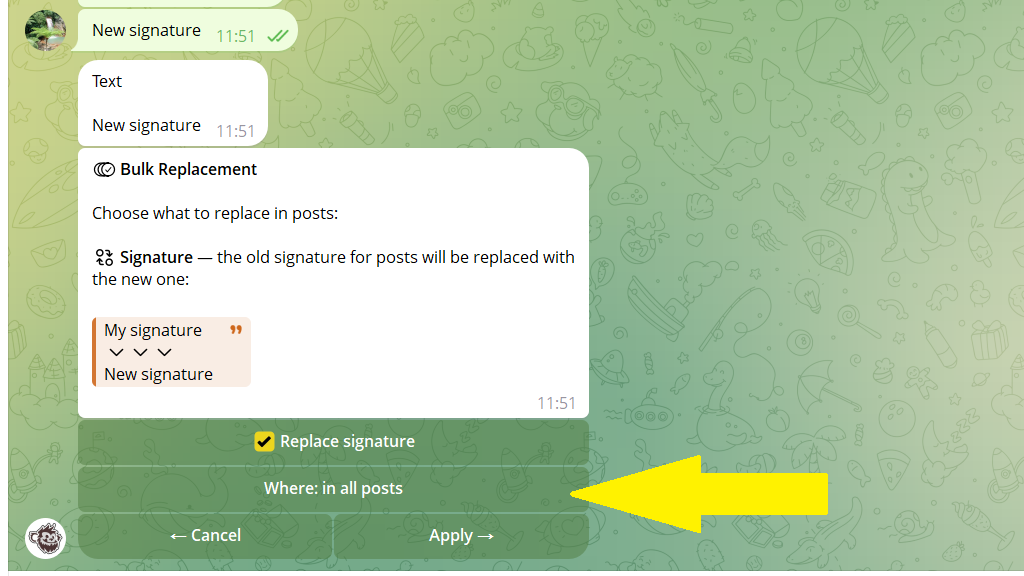
6. Tap Apply.
The bot will find all posts with the old signature and replace it with the new version.
Published posts are updated gradually, so as not to exceed Telegram's limits. You can track the progress with the /editlog command.
