
Imagine you have 200 posts with a link to your old website. Editing each one by hand is hours of work. With bulk replacement, the whole task takes a couple of minutes.
- In
Content planor theEdit postsection, find any post with the old link and open it. - Tap
Edit post→Replace link.
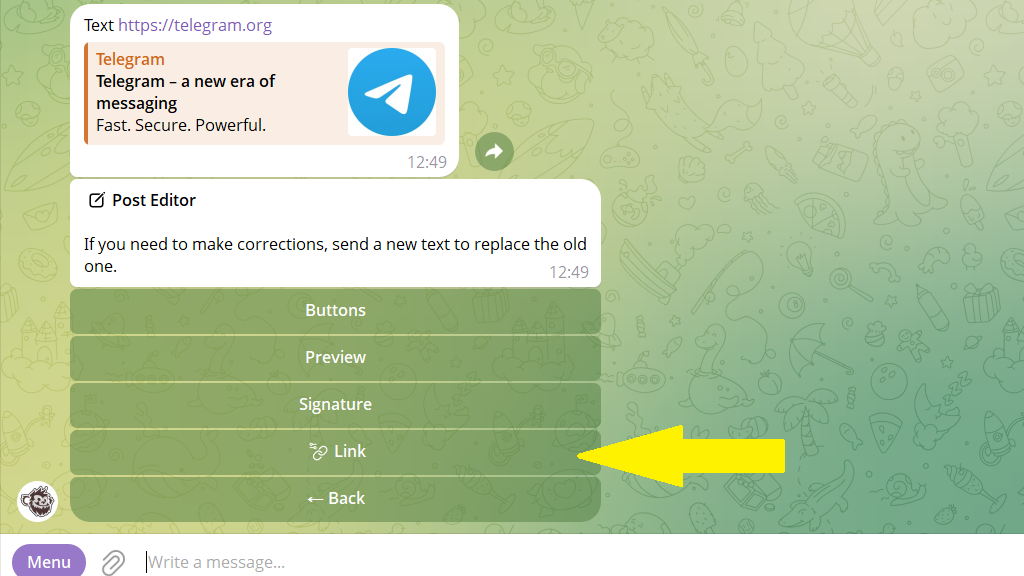
3. Send the bot the new link address.
4. Go back to the settings and save your changes.
That's it. This post is updated. To replace the link in the rest of the posts, tap Bulk replacement and confirm the action.
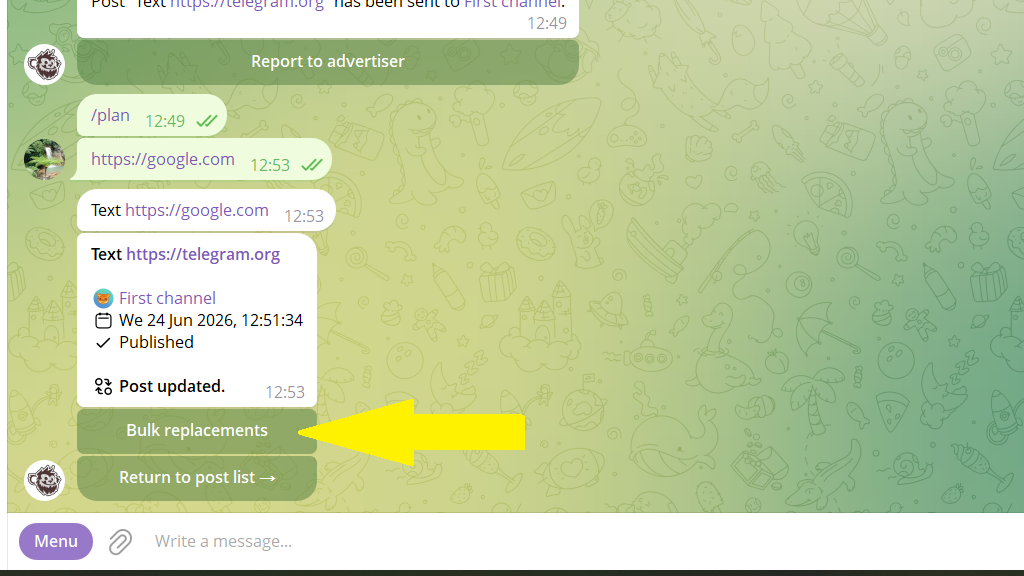
After that, the bot will find all the posts across all your channels where the old link appears and replace it with the new one.
Published posts are updated gradually, so as not to exceed Telegram's limits. You can track the progress with the /editlog command.
