
You can change the publication time across all channels at once — even if the posts were originally scheduled for different times.
To do this:
- Open the post in any of the channels via
Content planor theEdit postsection. - In the bottom bar, you'll see an
Alltab. Choose it so the changes apply to both the main channel and all the additional ones.
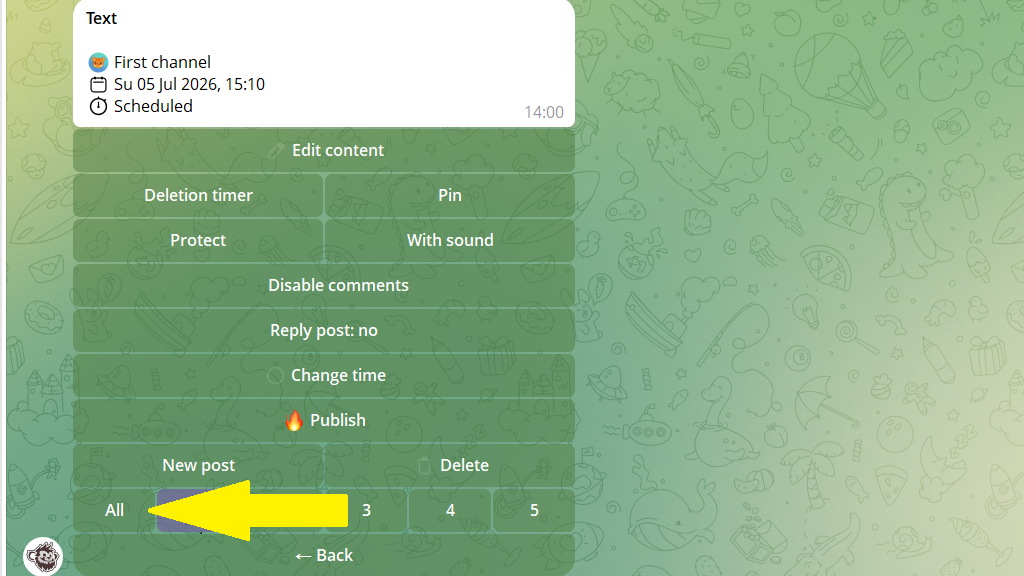
3. Tap Change time.
4. Choose what to do — set a new time or shift the publication time in this format:
+2h — move 2 hours forward
-30m — shift 30 minutes back
5. Confirm the changes.
Important. The bot recalculates the time for each channel automatically. If the post went out at 12:00 in the first channel and 14:00 in the second, then with a +1h shift they'll go out at 13:00 and 15:00 respectively.
