
You can edit both published and scheduled posts. It's convenient to do this through the Content plan.
Content plan
The content plan contains a list of scheduled and published posts, grouped by channel.
To edit a post:
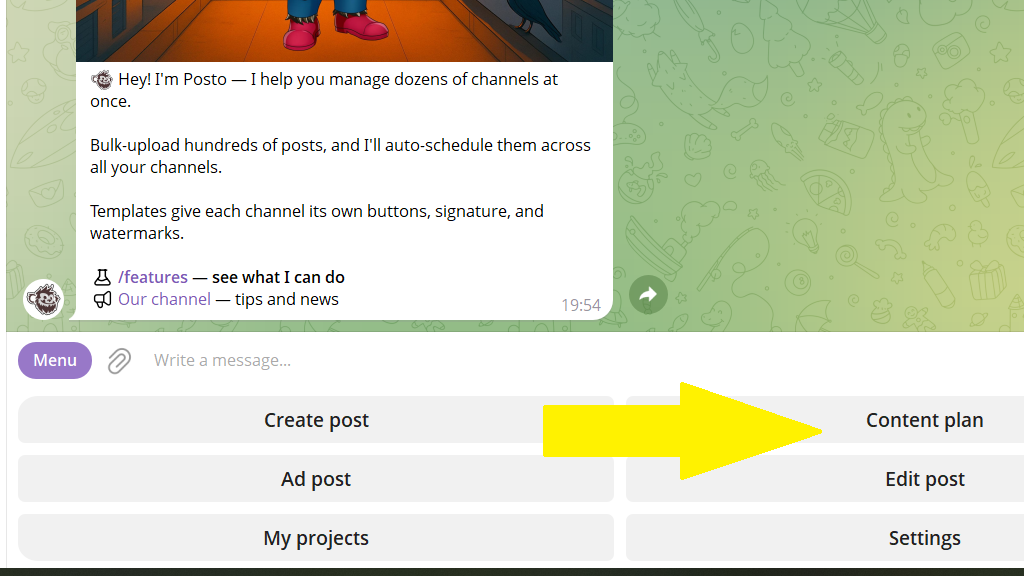
Step 1. Tap Content plan in the bottom menu or send the /plan command.
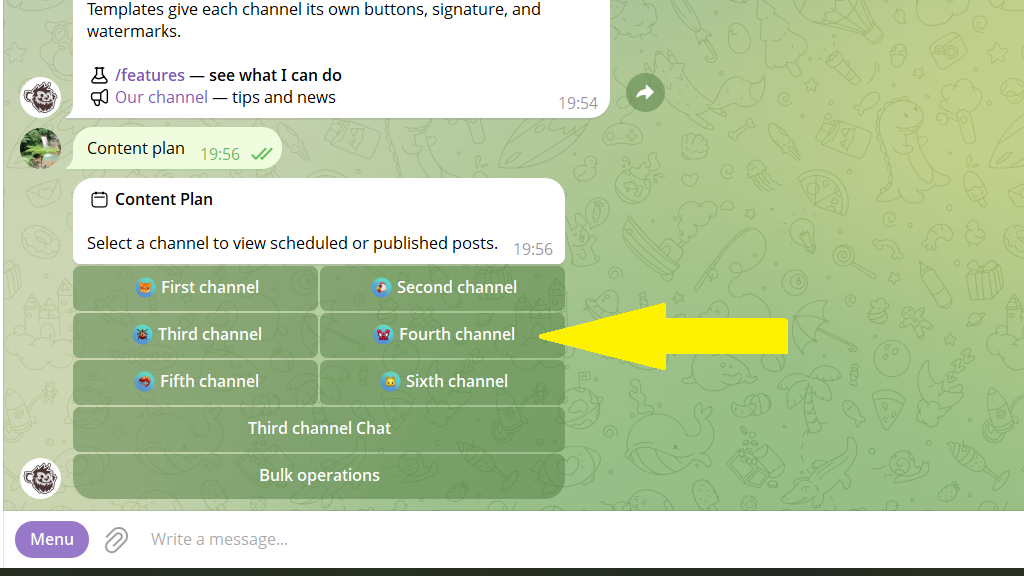
Step 2. Choose the channel where the post you need is published or scheduled.
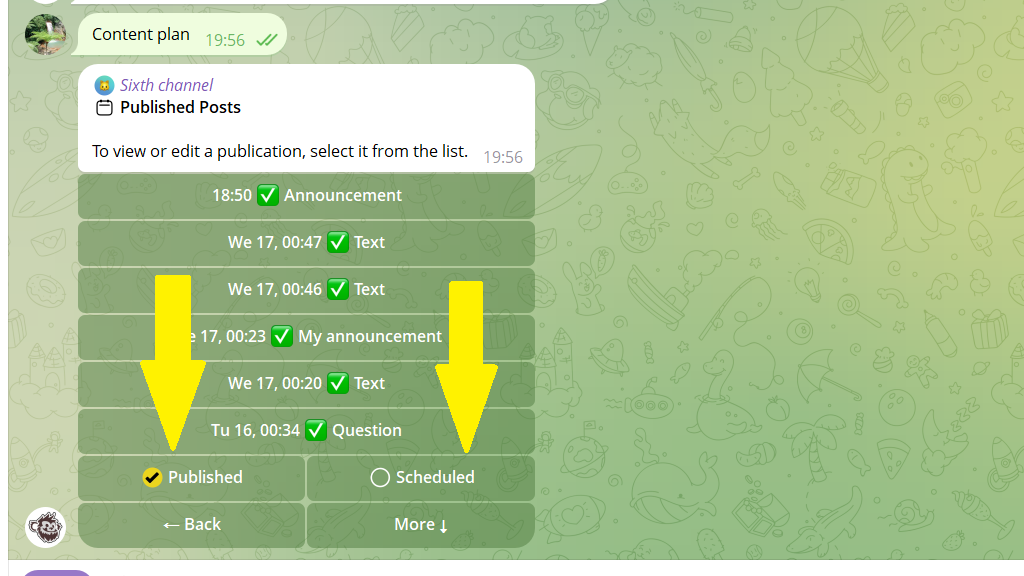
Step 3. Choose the Published or Scheduled section, depending on whether the post you want to change is published or scheduled.
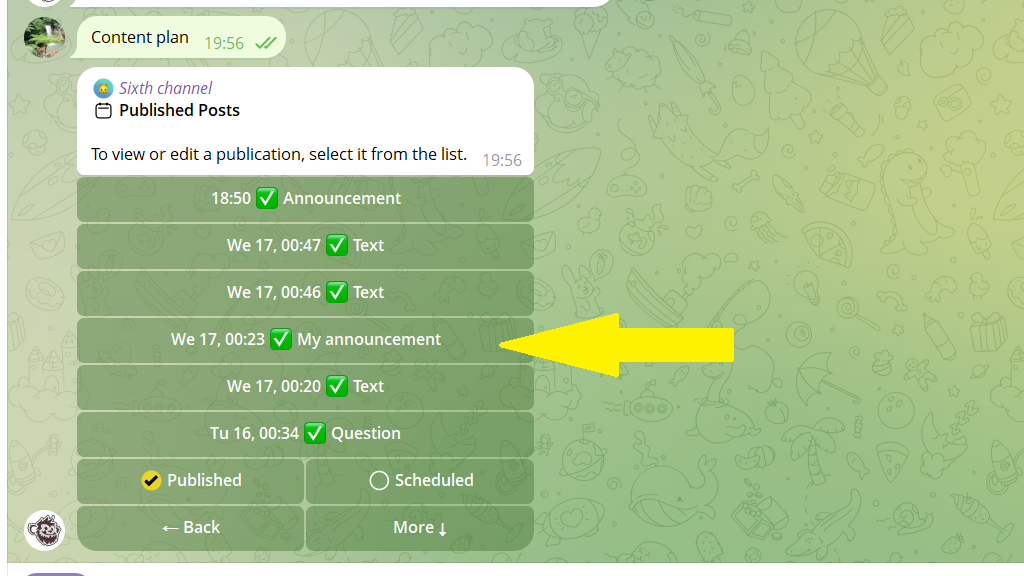
Step 4. If you chose Published, the bot shows a list of published posts. Choose the one you need and make your changes.
The "Edit post" menu
You can edit posts not only through the content plan, but also through the Edit post section. There, posts from all channels appear in a single list, sorted by creation time.
To open the Edit post menu, choose it in the bottom menu or send the /editpost command.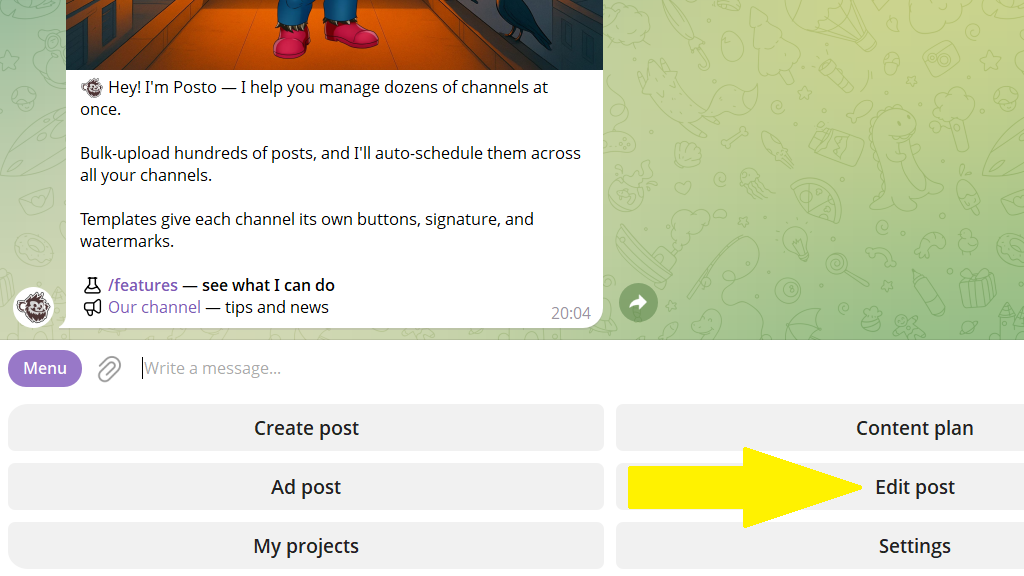
ℹ️ If an old post isn't in the list, forward it from the channel to the bot. After that, you'll be able to edit it.
