
If a post is already scheduled, you can change its list of publishing channels:
- move the post to another channel;
- add more channels;
- remove channels where the post should no longer be published.
To do this:
1. Open the post editing menu.
2. Tap Select channels.
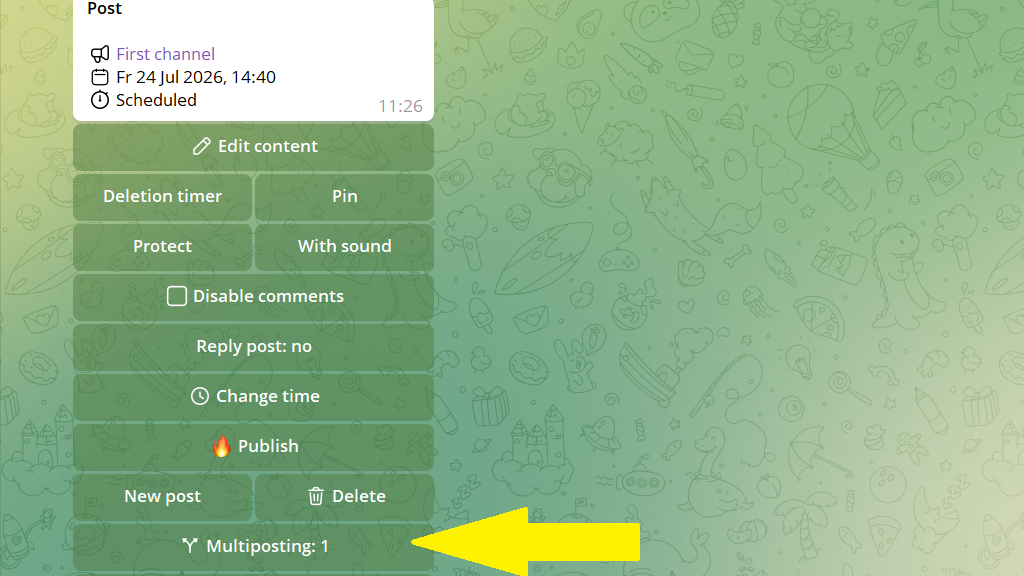
3. Select the channels where the post should be published.
Each selected channel will receive an exact copy of the post from the original channel. To move the post, add the new channel and remove the original channel from the publishing list.
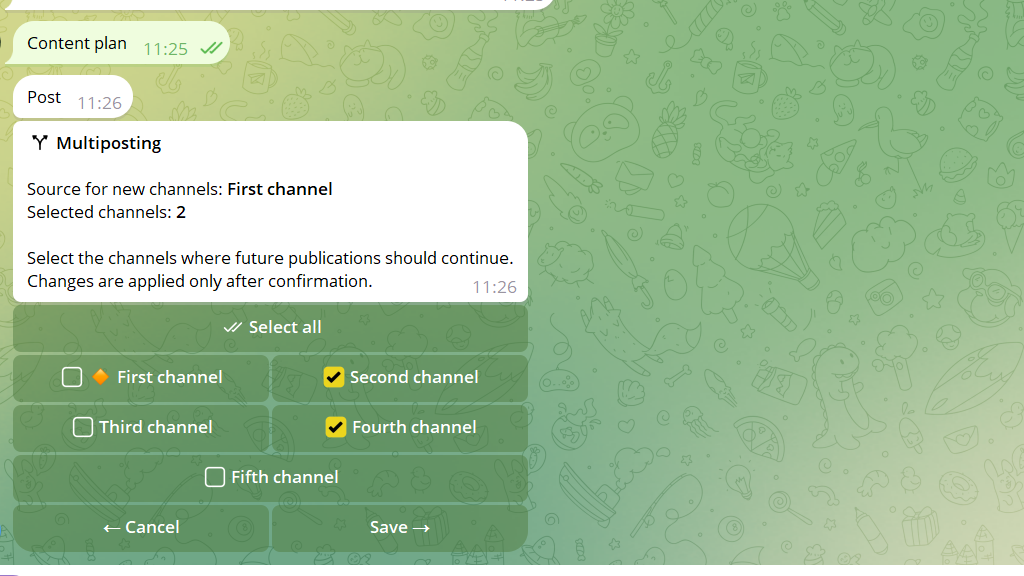
4. Tap Apply.
That's it. The post will be published in the selected channels.
