
If a post is already scheduled, you can change its publication time.
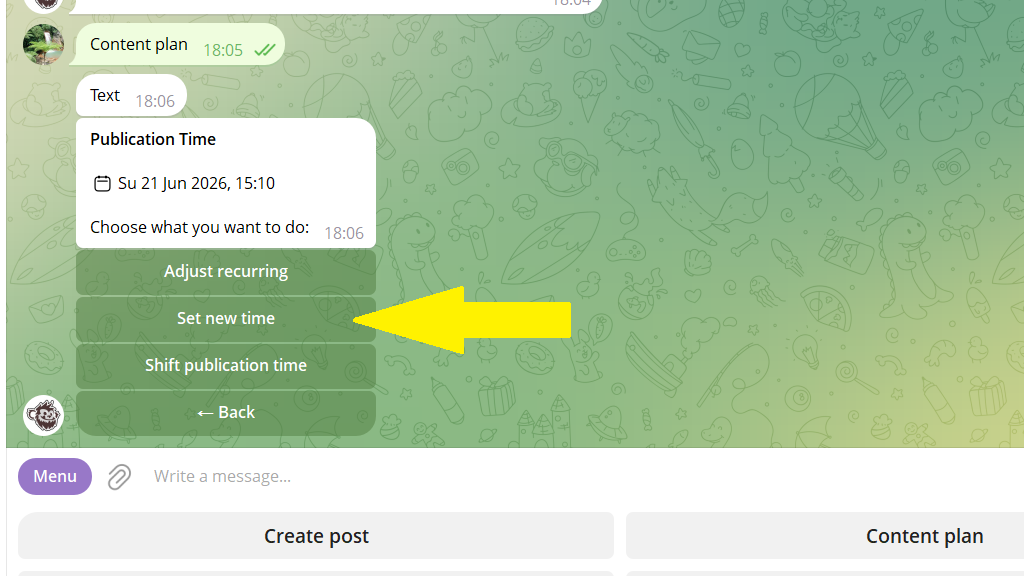
Two options are available:
- Shift the publication forward or back. For example, move the post a week ahead.
- Set a new exact date and time. For example, July 10 at 12:15.
To change the publication time:
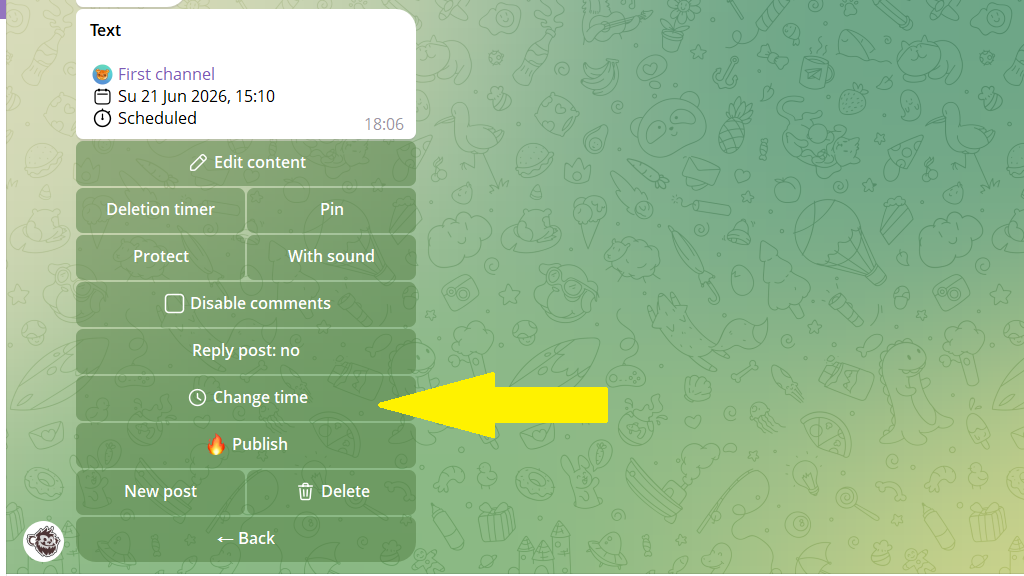
1. Open the post editing menu. The bot shows when the post is set to go out.
2. Tap Change time.
3. Choose whether to set a new time or shift the time it goes out.
4. Set the new time and save your changes.
