
Telegram lets you publish posts straight to your channel, but it's inconvenient — you start from scratch every time. Posto takes care of all the routine: schedule a week of posts in advance, copy them to several channels, add a watermark to photos, set up an auto-delete timer or auto-repeat. Posto is a tool for people who run channels seriously.
Step 1. Connect your channel or group to the bot
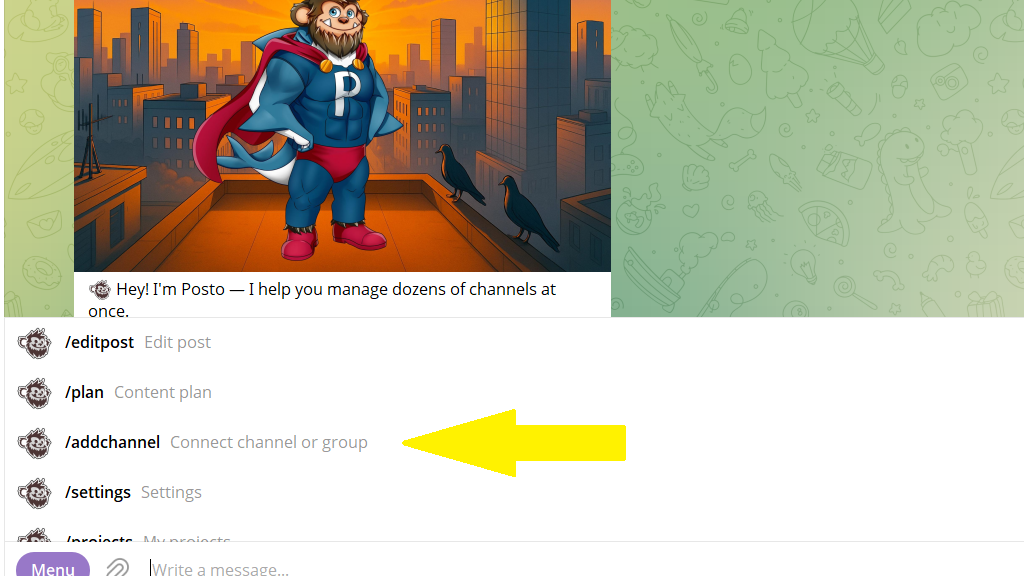
To do this, open the menu and choose the /addchannel command.
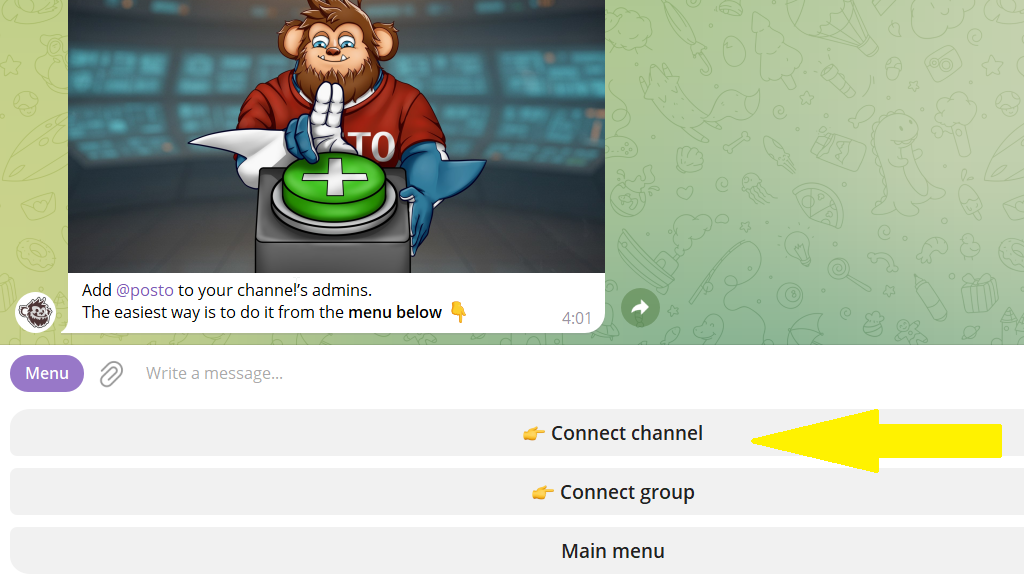
Then tap Connect channel/group and choose the one you need from the list.
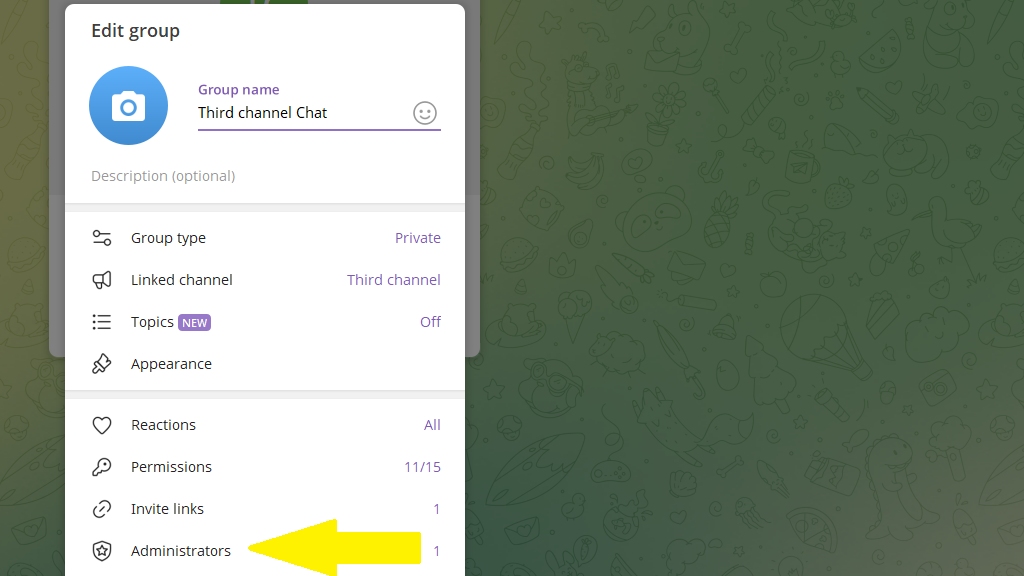
If Telegram doesn't show the channel or group you need, open its settings, go to Administrators, tap Add admin, and enter @posto.
Step 2. Create a post
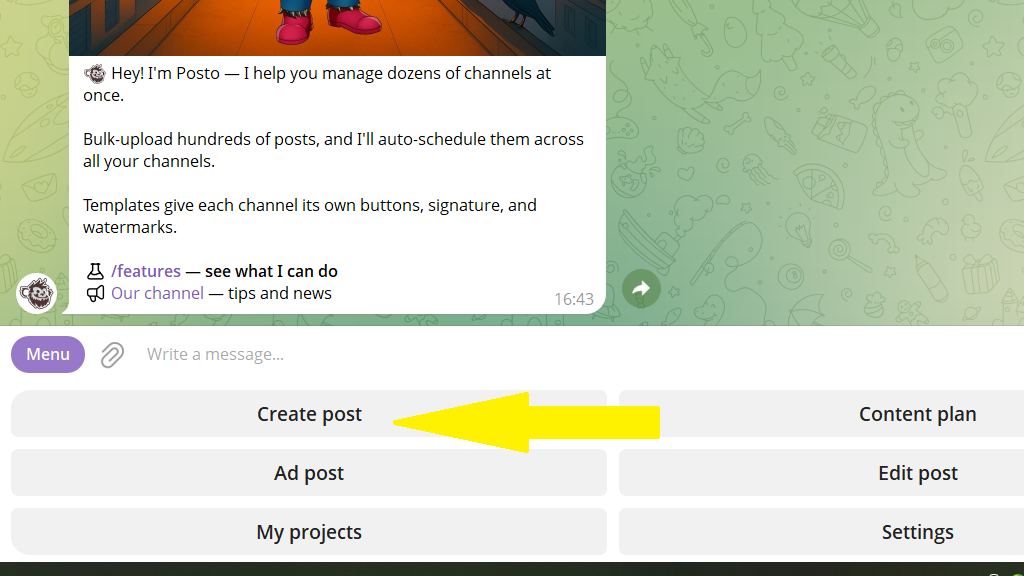
To do this, tap Create post in the bottom menu or enter the /newpost command.
Choose the channel you need from your list of connected ones.
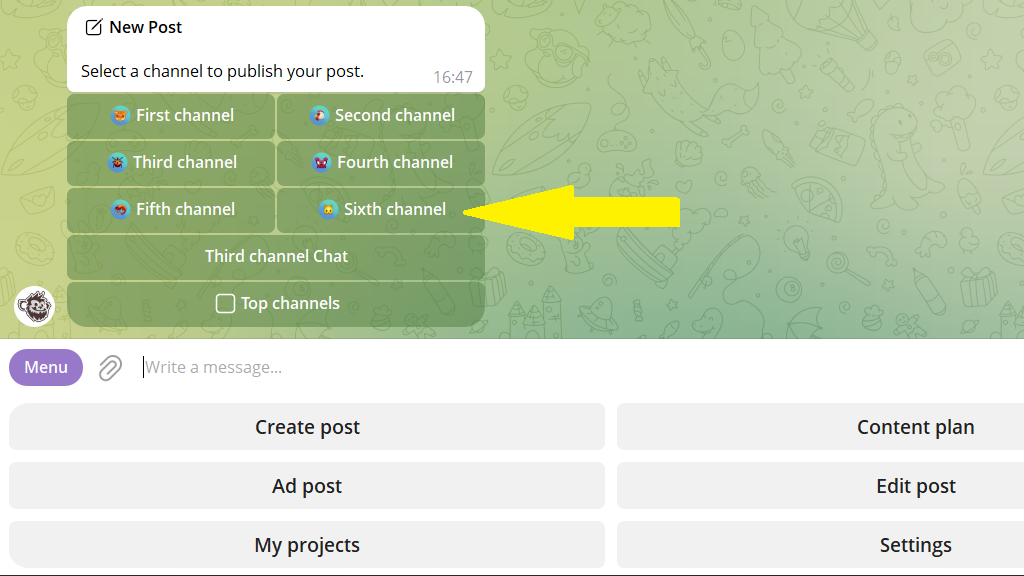
Enter the post text. If you want to add a photo or video, or create a poll, tap the paperclip icon.
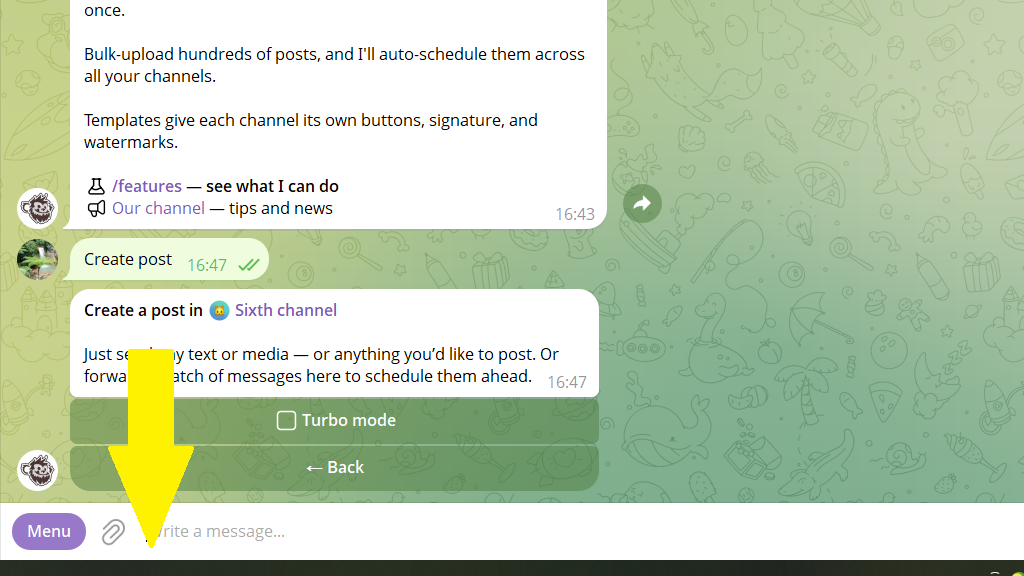
Step 3. Set up the post
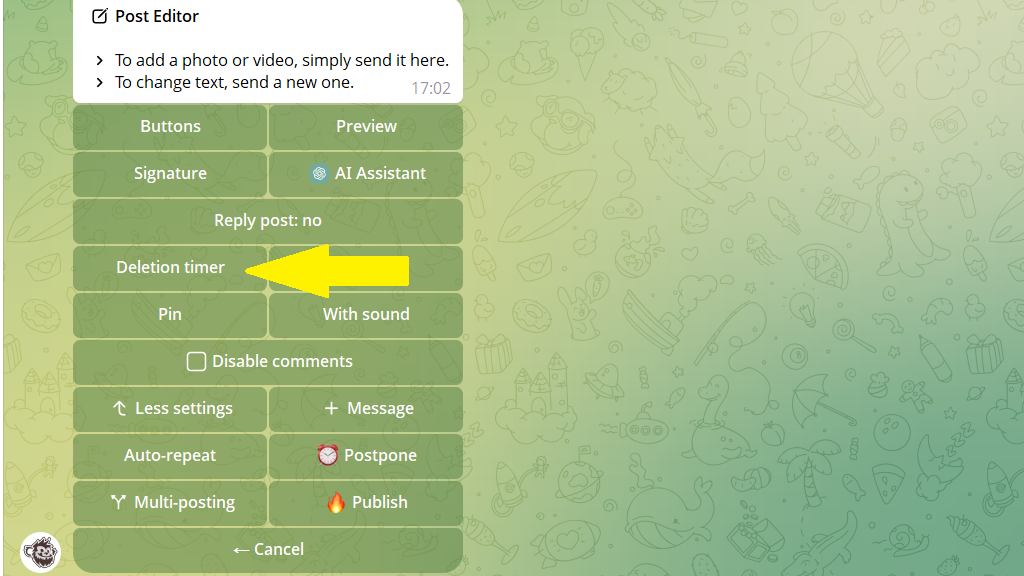
The bot gives you plenty of options to customize a post:
- auto-signature
- link buttons
- auto-repeat
- auto-delete timer
- copying to several channels
- watermarks to protect photos and videos
- translation into other languages with AI
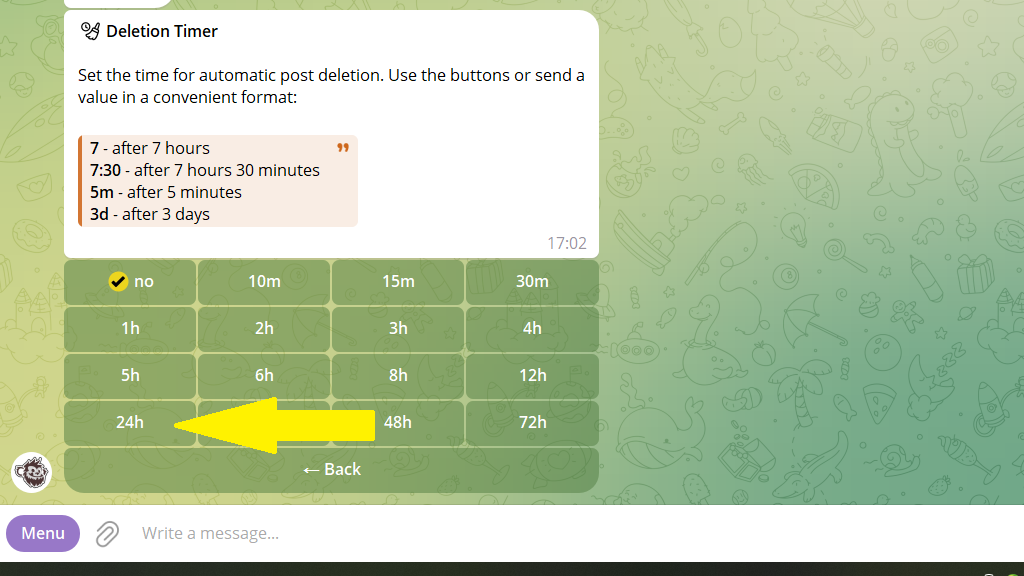
For example, say you want a post to be deleted from the channel automatically 24 hours after publishing. To do this, tap Auto-delete timer.
Set it to 24 hours.
Step 4. Publish the post or schedule it for the time you need
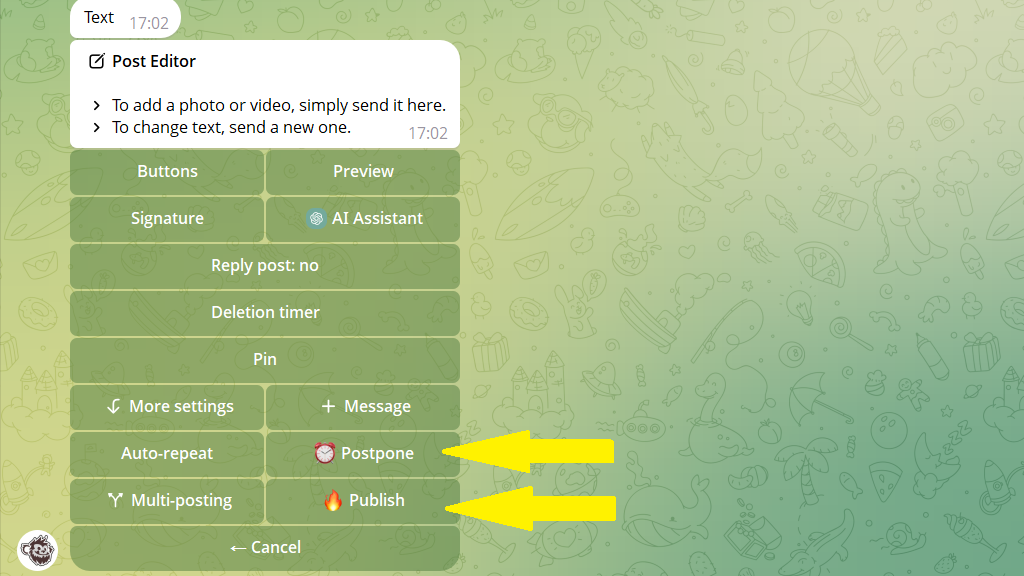
You can publish a post right away, or set a time for it to go out. To do this, choose one of the two buttons: Publish or Postpone.
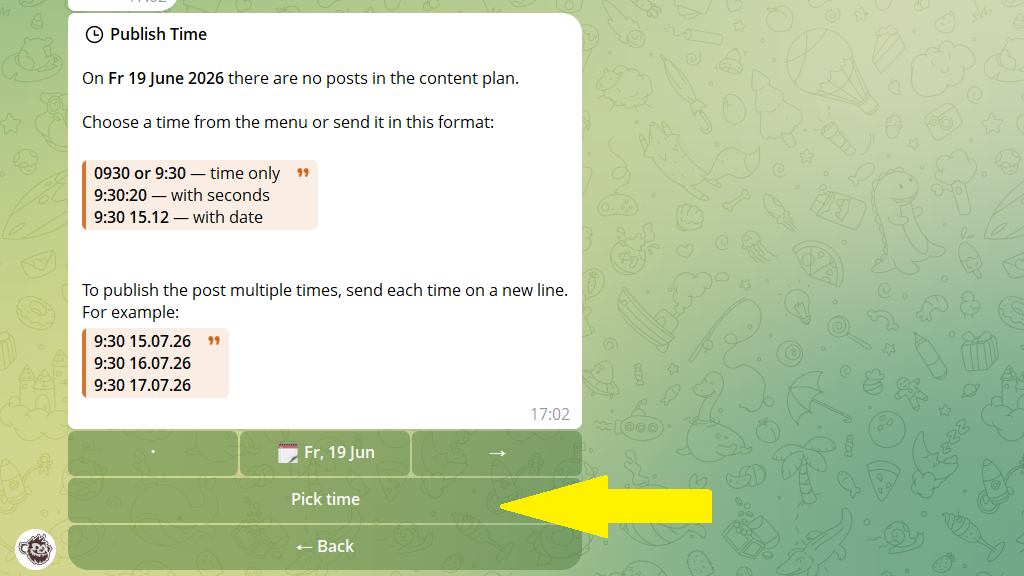
If you chose Postpone, set the time as the bot instructs.
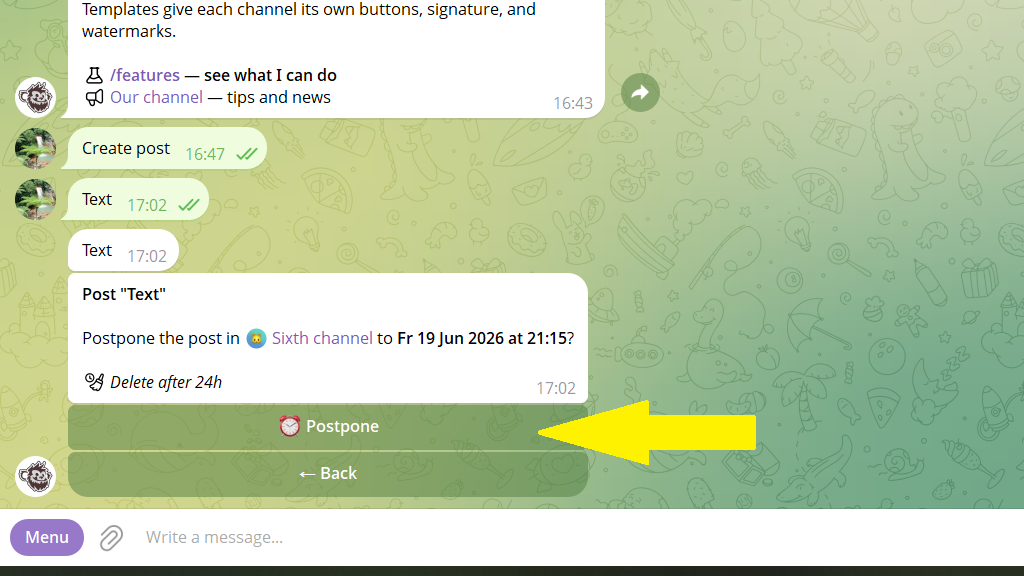
Confirm the schedule.
Step 5. Editing a post
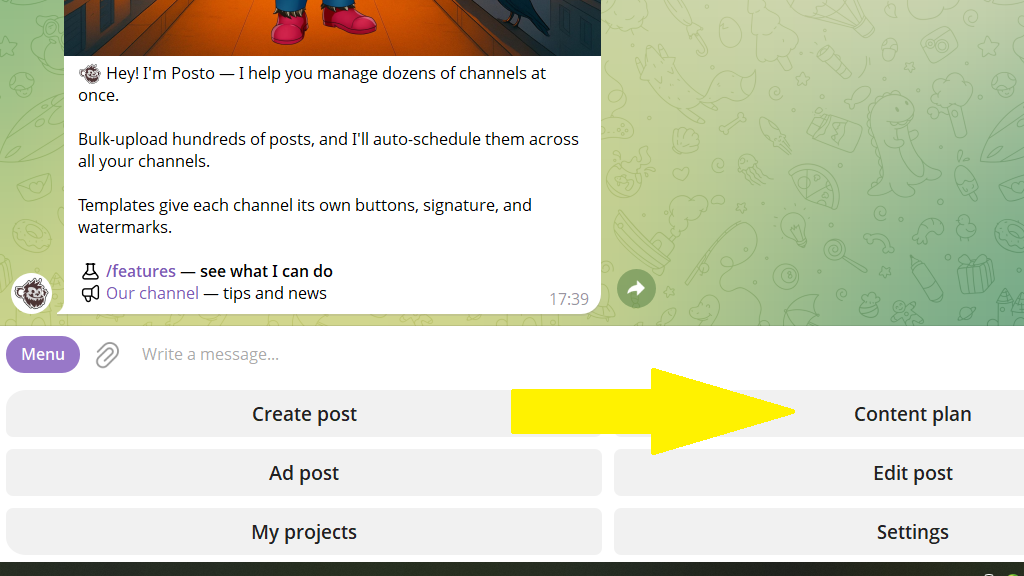
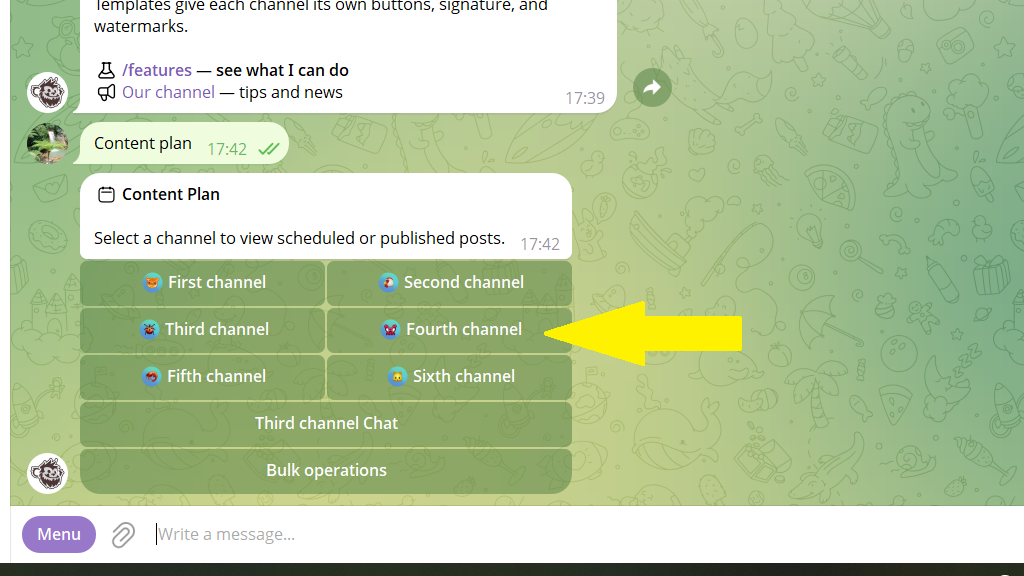
You can edit both published and scheduled posts. To do this, tap Content plan in the menu or enter the /plan command.
Choose the channel where your post is published or scheduled.
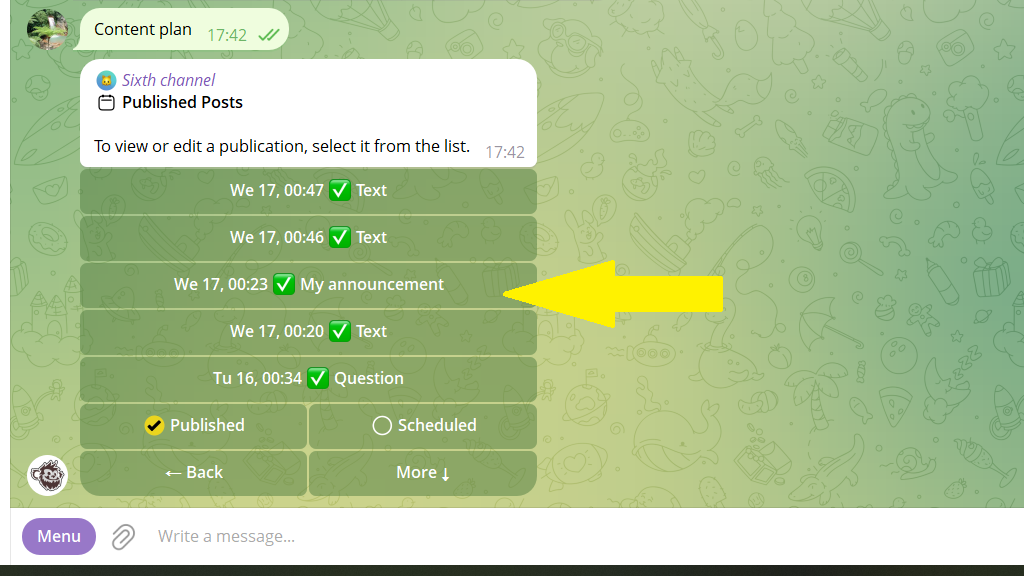
The bot offers two sections: Published posts and Scheduled posts. Choose the section you need, then choose the post you want to change.
Make the changes you need — fix the text, add a button to the post, or change the publication time.
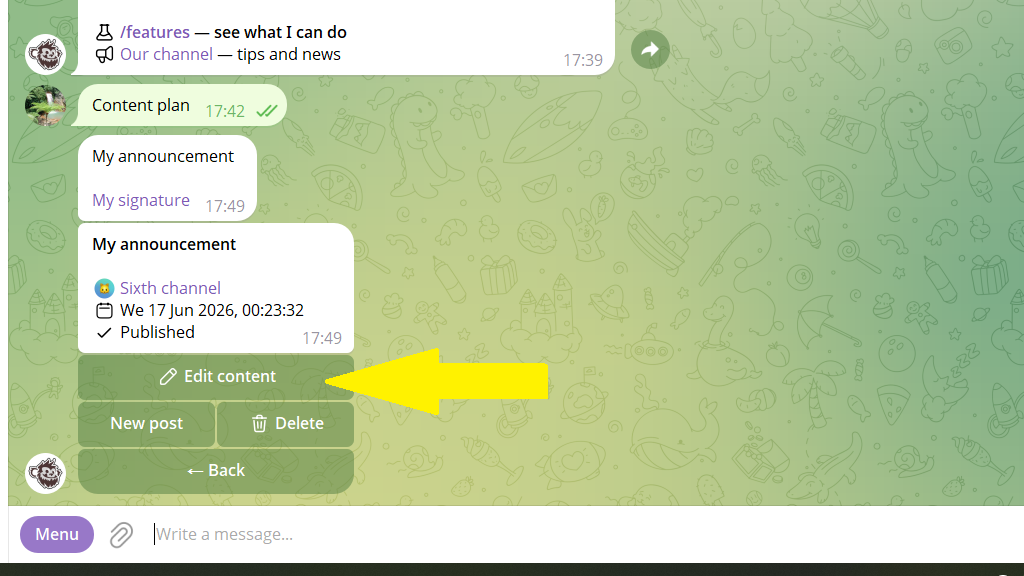
Save your changes.
Done! With Posto, running a single channel or even a whole network of channels is really simple.
